
Vizard Clips — Repurpose YouTube Videos to Shorts
YouTube creators don’t just need great ideas—they need great distribution. Once your long-form upload goes live, the real growth opportunity is what you do next: extracting the best moments and turning them into platform-native short-form content. gapcoach
SEO Page Setup

Turn One Long Video Into Dozens of Ready-to-Post Clips

Vizard Clips helps you do exactly that:
Turn one long video into dozens of ready-to-post clips for YouTube Shorts, TikTok, Instagram Reels, and LinkedIn—faster than manual editing.
Why YouTube Creators Repurpose Content (Instead of Starting Over)
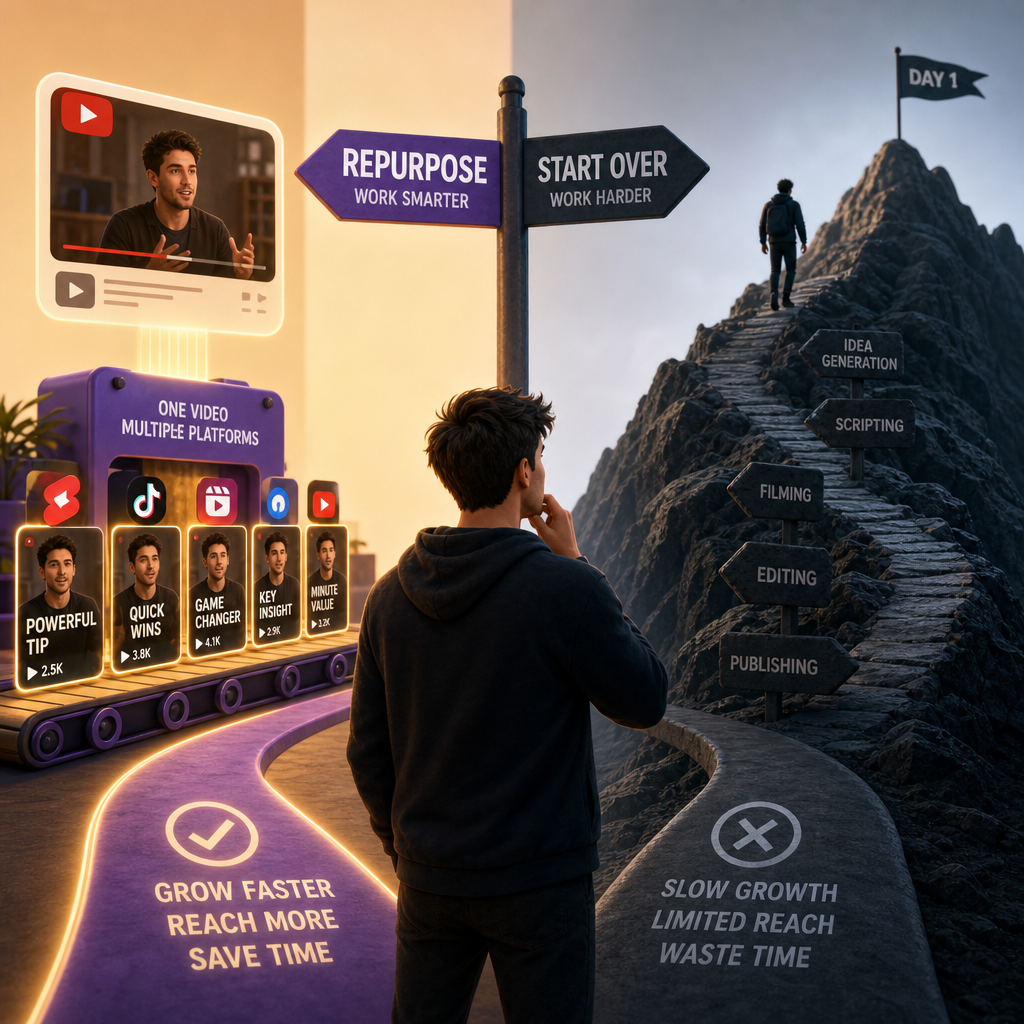
Long-form videos build authority. Shorts build reach. Repurposing is what connects the two.
Without a repurposing system, creators often face:
- Slower posting cadence (and fewer chances to get discovered)
- Wasted effort after spending hours on one long upload
- Inconsistent short-form formatting across platforms
- Harder ideation after your first batch of content is published
Vizard Clips solves the “after you publish” problem by multiplying what you already created.
The Best Content Flywheel for Creators: Research + Repurpose

For YouTube creators, coming up with video ideas is only half the battle. After publishing, you need a way to extract more value from every upload.
Pair GapTube.ai with Vizard Clips
- Use GapTube.ai to discover winning topics and identify content gaps in your niche (in 70+ languages)
- Use Vizard Clips to convert your key moments into short-form clips across platforms
This creates a repeatable loop:
Research → Record → Publish → Repurpose → Grow
What Is Vizard Clips?
Vizard Clips is built for creators who want an easier way to take long-form content (YouTube videos and more) and produce multiple short, shareable clips—without spending your life editing. Why Choose Us?
It’s ideal for:
- Repurposing podcasts, interviews, webinars, livestreams
- Turning YouTube long-form videos into Shorts/Reels/TikTok-ready clips
- Creating more touchpoints with your audience—faster
Vizard Clips = Your Online Video Editor for Repurposing at Scale
If you’re looking for an online video editor workflow that goes beyond basic cutting, Vizard Clips is designed to help you:
- Extract multiple clip moments from one long upload
- Create short-form assets quickly
- Repurpose content consistently across major platforms
Instead of starting from scratch for every short, you get a system that helps you multiply output from every video you publish.
Explore Use Cases: How Creators Use Vizard Clips
Here are practical, high-converting repurposing scenarios for YouTube creators:
1) Podcast Episodes → Shorts Highlights
- Turn “best take” moments into short clips
- Convert audience-relevant quotes into fast, shareable content
2) Interviews → Pull-Quote Clips
- Extract standout lines from both guest and host
- Create multiple clips per episode to boost discovery
3) Webinars → Key Moment Teasers
- Break long training into bite-sized lessons
- Post progressively to keep viewers moving toward the full episode
4) Livestreams → Best-Of Compilations
- Clip the most replayed segments
- Use the audience’s momentum to drive new viewers to your channel
5) YouTube Tutorials → Step-by-Step Shorts
- Turn “how-to” sections into sequential mini-lessons
- Reduce drop-off by posting the most valuable parts first
6) Product Demos → Feature Micro-Clips
- Extract the “wow” moment into multiple posts
- Use short clips to generate interest before directing to full content
Video Templates That Make Posting Faster (Without Losing Brand)
Consistency is what makes short-form content perform over time. Video Templates help you keep your clips cohesive—so each repurposed moment still feels on-brand.
With Vizard Clips, creators can use ready-to-post clip formats designed for platforms like:
- YouTube Shorts
- TikTok
- Instagram Reels
Instead of guessing layouts, hooks, or pacing, you can rely on templates to speed up production while maintaining quality.
*(You can then refine based on your style—Vizard Clips helps you start faster, not fight the process.)*
Step-by-Step: From Long-Form to Dozens of Clips
Here’s the workflow creators typically want—simple, repeatable, and scalable:
- Start with your long-form upload
- Let Vizard Clips extract the most clip-worthy moments
- Format for short-form sharing
- Review and finalize
- Publish across platforms
Result: more content output from the same production effort.
Why This Matters: You’re Compounding Every Upload
Many creators post a long video, then move on. But the best growth comes from treating every upload as an asset with a lifespan—not a single post.
A repurposing system helps you:
- Increase the number of “entry points” to your channel
- Reach new audiences who only watch short-form
- Stay consistently visible without constant filming
Vizard Clips vs. AI Video Generators (What’s the Difference?)
You may have seen tools positioned as AI video generators. Those can help create videos from prompts or generate new media.
But for YouTube creators, the winning need is usually different:
- Not “create from scratch”
- Turn what you already published into multiple shorts
That’s why Vizard Clips is positioned as a repurposing editor for creators—focused on extracting, converting, and packaging your long-form value into short-form content. Signup
(Think of it as: your long-form performance becomes your short-form pipeline.)
Content Planning: The GapTube.ai + Vizard Clips Combo
When you combine discovery and repurposing, you get both sides of growth:
GapTube.ai helps you answer:
- What should I make next?
- Where are the content gaps in my niche?
- What topics are trending (and working) right now?
Vizard Clips helps you answer:
- How do I turn this video into more than one post?
- How do I extract the best moments quickly?
- How do I keep posting without doubling your workload?
Together: research-driven ideas + automated (or simplified) repurposing.
Call to Action: Multiply Your Content Output
If you’re a YouTube creator ready to get more reach from every upload, Vizard Clips gives you a fast path from long-form to multiple short-form clips.
Get started with Vizard Clips and start turning one video into dozens of ready-to-post clips.
Want the full growth system?
Pair it with GapTube.ai for topic discovery and content gap research.
FAQ
Ready to Repurpose Your Next Upload?
Turn one long video into dozens of ready-to-post clips with Vizard Clips—and use GapTube.ai to keep your ideas fresh. discover
Start now and make every video work harder for your channel.
Ready to get started?
Take the next step and explore how this solution can help you move faster.
GAPTUBEVIP