
Repurpose Livestreams Into Shorts with Vizard Clips
Turn one long video into dozens of ready-to-post clips—then pair with GapTube.ai to find winning topics.
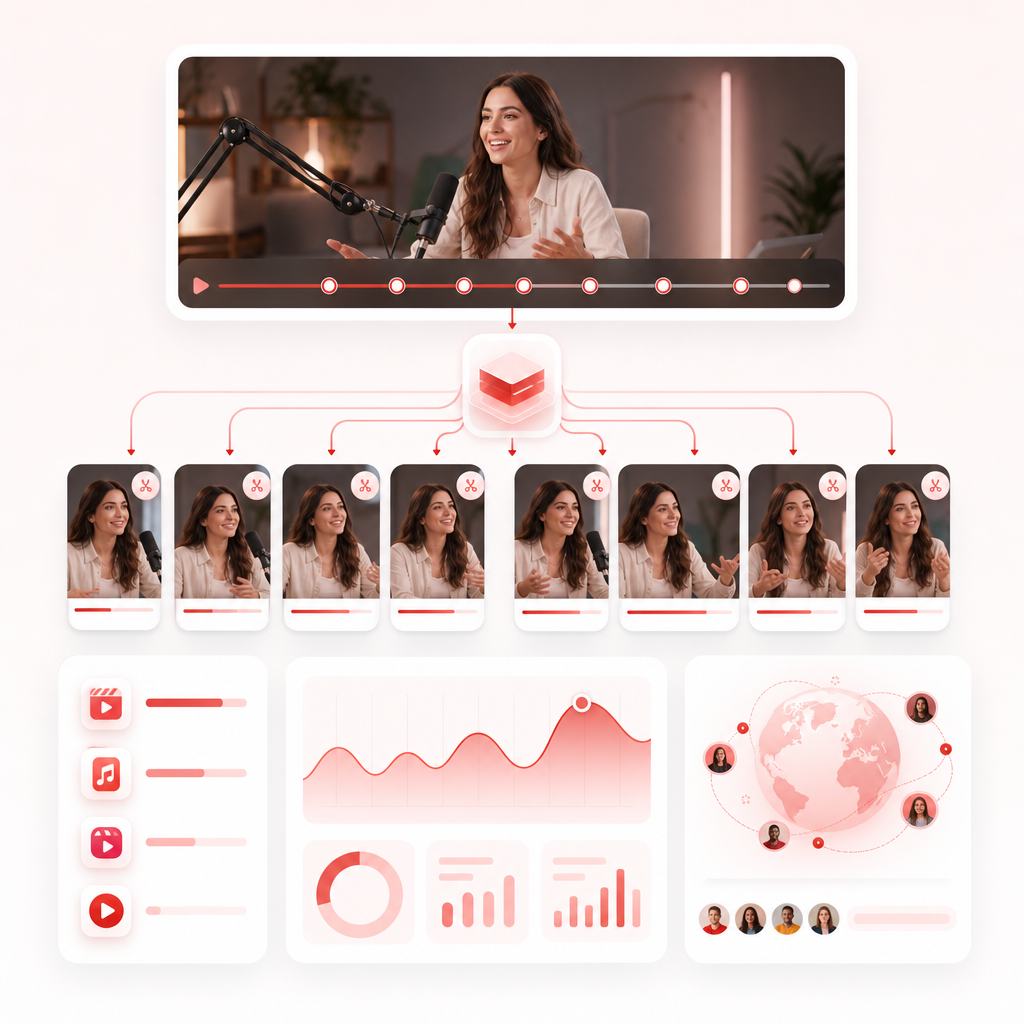
Turn One Livestream Into Dozens of Ready-to-Post Clips
If you stream live, you already know the hard part: showing up consistently.
But the bigger growth bottleneck is what happens after the stream—when you’re stuck deciding what to clip, how to title it, and how to post enough short-form content to actually compound your reach.
Vizard Clips — Multiply Your Content Output helps livestreamers transform long-form videos (livestreams, podcasts, interviews, webinars, YouTube videos) into multiple short, shareable clips for: YouTube Shorts, TikTok, Instagram Reels, and LinkedIn.
Why Livestreamers Need a Clip-First Strategy (Not a “Maybe Later” Plan)
Livestreams generate gold—reactions, teachable moments, hot takes, unexpected stories, and audience questions.
The problem? Most creators don’t repurpose quickly enough, so those moments don’t get the second life they deserve.
What you lose when you don’t clip consistently
- Momentum: your best moments disappear from feeds
- Discoverability: shorts drive new viewers to your channel and livestream archives
- Consistency: posting dozens of shorts manually is unsustainable
- Conversion: more touchpoints = more subscribers, returning viewers, and brand interest
What a clip-first workflow enables
- Publish more often without re-recording
- Test more angles (titles, hooks, topics)
- Keep your channel active even between streams
- Build a content library you can refine over time
How Vizard Clips Works: From Long Video to Shorts in Less Time
Vizard Clips is built for repurposing—so the workflow is simple and fast.
Start with the content you already recorded: livestream recordings, podcast episodes, interviews, webinars, YouTube videos.
Vizard Clips helps pull out the highlights/reactions and key moments that work best for short-form audiences—so you’re not scrubbing the timeline for hours.
Your clips are packaged for social platforms so you can move from “idea” to “published” without starting from zero.
Repurpose once, post everywhere—especially useful if you’re trying to keep YouTube Shorts, TikTok, and Reels active without doubling your editing workload.
Try Free AI Clip Generator (and See What You Can Publish Next)
Want to test-drive the workflow before committing?
Try Free AI Clip Generator with Vizard Clips to convert a long video into multiple clips quickly—then decide how you want to build your posting system.
Try Vizard ClipsGuides: Go Deep with Dedicated Guidance (What to Clip From Livestreams)
A clip generator is only half the job. The other half is knowing *what* to clip and *how* to frame it so it earns views.
1) Clip hooks that trigger curiosity in under 3 seconds
- “Wait—here’s the real reason…”
- “Nobody talks about this, but…”
- “I used to do X until this happened…”
- Surprising reactions from chat
Short-form rule: If your viewer wouldn’t stop scrolling to hear the next sentence, don’t clip it.
2) Clip teachable moments (the “how-to” inside your stream)
- breakdowns of a process
- mistakes + corrections
- step-by-step advice
- “watch me do this” moments
Tip: Pair an instructional clip with a simple title that promises an outcome.
3) Clip audience-driven content
Livestreams are interactive—so your best material often comes from:
- audience questions
- “chat asked me…” segments
- community debates
- polls and live reactions
4) Clip high-emotion reactions and turning points
Shorts perform when they feel like a moment:
- a strong opinion
- a win/lose moment
- unexpected story beats
- “this changed everything” shifts
5) Clip comparisons and hot takes (with clarity)
If you disagree about something, clip the moment *where you explain your reasoning*, not just the opinion.
Turn Research Into Output: Pair GapTube.ai + Vizard Clips
For YouTube creators, coming up with video ideas is only half the battle.
Once you publish a long-form video, the growth opportunity is in **multiplying** it—turning your stream into dozens of shorts that consistently reach new viewers.
GapTube.ai discovers trending topics and content gaps in your niche (in over 70 languages)
Vizard Clips converts your long-form videos into short, ready-to-post clips
You publish more often, test more angles, and compound channel momentum
In other words:
GapTube finds what to say · Vizard Clips multiplies how many ways you say it
Want the research advantage alongside clip multiplication? Don’t miss out—use the discover engine to find content gaps, then use Vizard Clips to multiply output from each long-form video you create.
Public Video Page: Preview, Share, and Keep Everything Organized
Creators need more than “download a file.” You also need a way to review what was generated and keep your workflow organized.
Vizard Clips supports a Public Video Page concept so you can:
- preview your clips
- share or collaborate around what’s ready
- keep a clear view of outputs without hunting through folders
(If you’re building a repeatable system, this “see it fast” step saves you more time than you think.)
What Makes Vizard Clips Different (Especially for Livestreamers)
Many AI video tools can help create content—but livestreamers need a specific outcome: more clips from what you already recorded.
Vizard Clips is purpose-built for repurposing, so you can focus on strategy and performance—not manual editing on every post.
Also, the broader AI video landscape shows how automation can speed up production. Vizard Clips applies that same efficiency to the work livestreamers actually need: turning long content into shorts that get shared.
Best Practices: Post More Shorts Without Burning Out
A practical weekly rhythm
- After a livestream: repurpose it immediately (same day or next day)
- Pick 1–2 “anchor themes” for the week (based on your stream)
- Publish a short batch across platforms while the discussion is still fresh
- Use clip performance to decide what you stream again next
A simple rule for clip output
Instead of asking, “How many clips can I make?” ask:
Conversion-Focused Use Cases (Who Vizard Clips Is For)
Livestream creators
- Turn Q&A segments into discovery shorts
- Clip reactions when chat derails the conversation into something valuable
Podcast hosts & interviewers
- Extract the most quotable lines and explainers
- Repurpose long discussions into bite-size debate and learning
YouTube creators
- After you post a long video: mine highlights for Shorts
- Keep your channel active between uploads with consistent, topic-aligned clips
Brand and community builders
- Turn community moments into shareable content
- Increase visibility without increasing recording time
Frequently Asked Questions
Can Vizard Clips repurpose livestreams and podcasts?
Yes. Vizard Clips is designed to convert livestreams, podcasts, interviews, webinars, and long-form YouTube videos into multiple short clips.
How fast can I go from upload to clips?
The goal is speed—so you’re not spending hours manually extracting moments. Use Vizard Clips to generate multiple clips quickly and then review what you want to post.
Do I need editing experience?
No. The repurpose workflow is built to reduce manual editing work so you can focus on posting and performance.
Will this work for multiple platforms?
Yes. Vizard Clips is aimed at repurposing content for YouTube Shorts, TikTok, Instagram Reels, and LinkedIn.
How does GapTube.ai fit into the process?
GapTube helps you discover trending content opportunities and content gaps in your niche. Pair that with Vizard Clips to turn your chosen long-form video into ongoing short-form output.
Ready to Multiply Your Content Output?
Stop leaving your livestream moments to fade.
Turn one long video into dozens of ready-to-post clips with Vizard Clips, then use GapTube.ai to keep your ideas sharp and your content aligned with what viewers are searching for.