
Vizard Clips — Multiply Your Content Output
Turn One Long Video Into Dozens of Ready-to-Post Clips
Creating a great YouTube video takes time. Researching the topic, recording, editing, uploading, and optimizing can feel like a full production cycle.
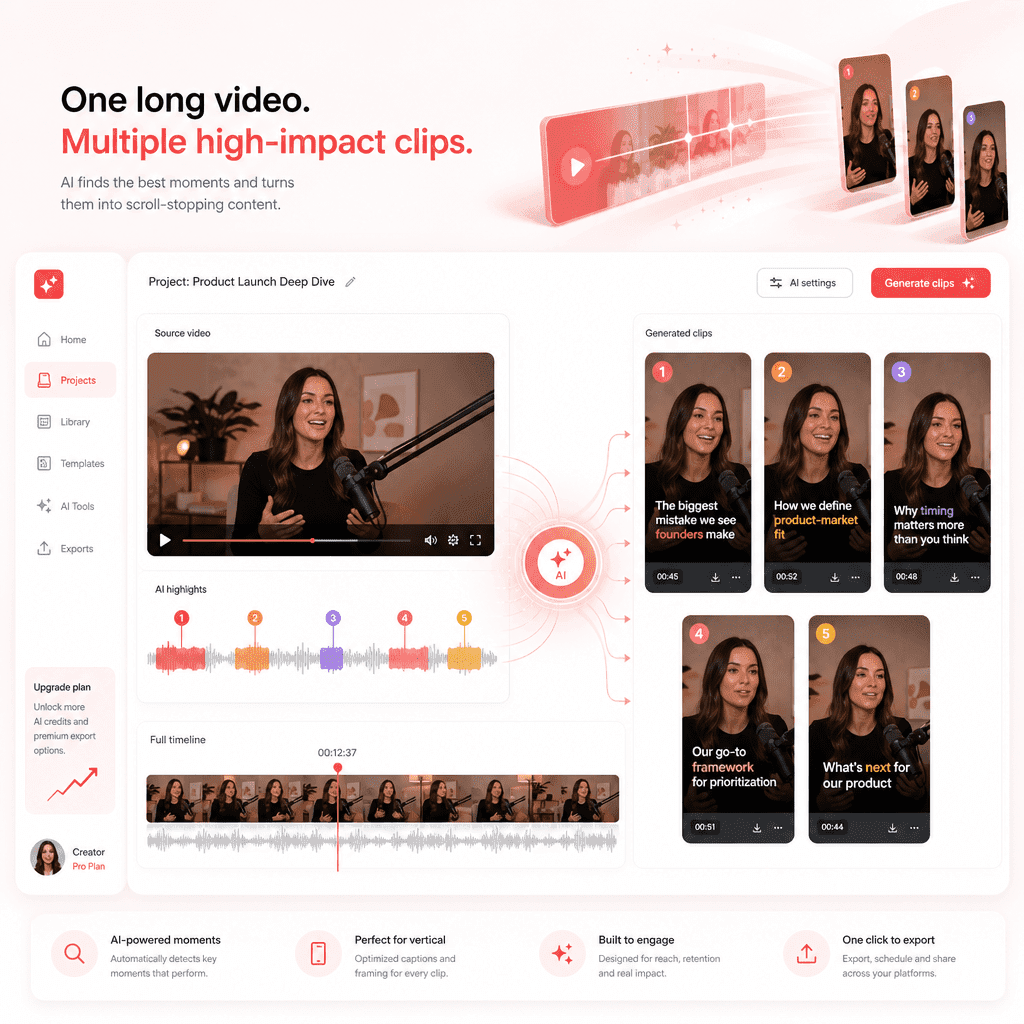
But once your long-form video is published, the opportunity does not stop there. Vizard Clips helps creators turn podcasts, interviews, webinars, livestreams, and YouTube videos into short, shareable clips for platforms like YouTube Shorts, TikTok, Instagram Reels, LinkedIn, and Facebook Reels.
✨ Start your channel. Build your next video with automated YouTube ideas
🎉 Limited-Time Offer: Get Lifetime Access for Free!
Use code GAPTUBEVIP at checkout and unlock 1 topic forever
Turn One Long Video Into Dozens of Ready-to-Post Clips
Instead of letting one long video live in one place, Vizard Clips helps you extract the best moments and repurpose them into bite-sized content that can reach new audiences across multiple platforms.
Simple idea: Turn one long video into dozens of ready-to-post clips.
YouTube Shorts
TikTok
Instagram Reels
Facebook Reels
The Smarter Workflow for YouTube Growth
Most creators struggle with two major problems: finding video ideas people actually want to watch and getting more reach from every video they create.
That is where GapTube.ai and Vizard Clips work perfectly together.
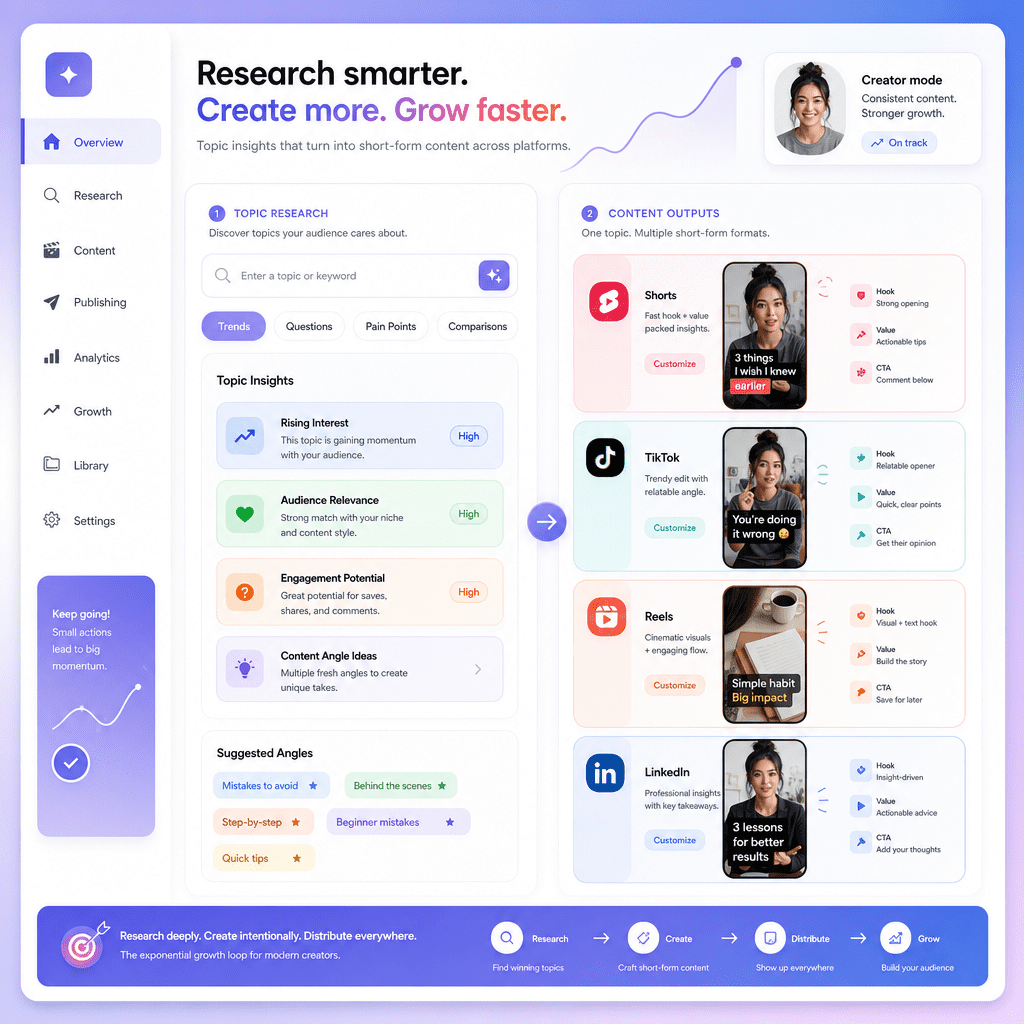
A simple creator system
- Find winning YouTube topics with GapTube.ai.
- Create your long-form YouTube video.
- Upload the video to Vizard Clips.
- Generate multiple short clips automatically.
- Post across YouTube Shorts, TikTok, Reels, and LinkedIn.
This helps creators get more value from every video, publish more consistently, and build a stronger content engine.
What Is AI Video?
If you are asking, “what is AI video?”, the answer is simple.
AI video refers to video content that is created, edited, enhanced, or repurposed using artificial intelligence. Instead of manually cutting clips, finding highlights, adding captions, or formatting videos for different platforms, AI tools can automate much of the process.
Repurpose faster
Turn long videos into short clips and find engaging moments without manually reviewing every second.
Prepare social formats
Add captions automatically, resize videos for Shorts, TikTok, and Reels, and create social-ready content faster.
Support creativity
An AI video tool does not replace your creativity. It helps you move faster and get more output from the content you already create.
Why Vizard Clips Is Useful for YouTube Creators
Long-form YouTube content is valuable, but short-form content helps you stay visible across more platforms. Vizard Clips makes this easier by helping creators repurpose existing videos into short, engaging clips.
Use Vizard Clips for:
Podcasts
Turn long podcast episodes into shareable highlights, quotes, and discussion clips.
Interviews
Extract powerful moments, insights, and soundbites from guest interviews.
Webinars
Convert educational webinars into short clips for LinkedIn, YouTube Shorts, and Instagram.
Livestreams
Repurpose livestream recordings into multiple clips that continue driving views after the live event ends.
YouTube Videos
Take your best long-form YouTube content and create short clips to promote it across platforms.
Best AI Video Generator for Repurposing Long-Form Content
If you are searching for the best AI video generator, it is important to choose based on your goal.
Some AI video generators create videos from text prompts. Others help with avatars, animations, or voiceovers.
But if your goal is to turn existing long-form content into short, platform-ready videos, Vizard Clips is built for that workflow.
One long video becomes many clips
Vizard Clips helps creators move from one long video to many short clips, making it easier to stay consistent without constantly starting from scratch.
For YouTube creators, this is one of the most practical uses of AI video technology.
AI Video Generator for YouTube Creators
A good AI video generator for YouTube should help creators save time, improve consistency, and get more reach from every video.
Vizard Clips supports this by helping you create short-form content from your existing YouTube videos.
This is especially useful because YouTube growth is no longer just about uploading long-form videos. Many creators now use YouTube Shorts to promote long-form videos, test content ideas, reach new viewers, increase channel visibility, build audience familiarity, and repurpose high-performing moments.
When paired with GapTube.ai, the process becomes even stronger. GapTube helps you decide what to create. Vizard Clips helps you create more content from it.
Pair GapTube.ai With Vizard Clips
Coming up with YouTube ideas is only half the battle. Once you publish a long-form video, you need to maximize its reach. That is where repurposing becomes powerful.
GapTube.ai helps you discover
- Trending content opportunities
- Content gaps in your niche
- YouTube keyword ideas
- Topic ideas in 70+ languages
- Daily research insights
- Niche-specific video opportunities
Vizard Clips helps you multiply
- Short-form clips
- Social posts
- YouTube Shorts
- TikToks
- Instagram Reels
- LinkedIn video content
From Research to Repurposing: A Better Creator System
Many creators lose momentum because they treat every piece of content as a one-time effort.
With the right workflow, one idea can become an entire content campaign. That is the power of combining GapTube.ai with a tool like Vizard Clips.
One strong topic can become
- One long-form YouTube video
- Five YouTube Shorts
- Three TikToks
- Two Instagram Reels
- One LinkedIn post
- Multiple social captions
- Future content ideas
Who Should Use Vizard Clips?
Vizard Clips is useful for creators and teams who already produce long-form video content and want to get more from it.
It is ideal for YouTube creators, podcasters, coaches and educators, course creators, SaaS founders, marketing teams, livestreamers, interview-based channels, webinar hosts, and personal brands.
If you regularly create long-form content, Vizard Clips can help you turn that content into more distribution assets.
Why Short-Form Content Matters
Short-form video is one of the fastest ways to increase visibility.
Platforms like YouTube Shorts, TikTok, Instagram Reels, and LinkedIn reward frequent, engaging, snackable content. But creating short-form videos manually can be time-consuming.
Vizard Clips helps reduce that workload by identifying moments from your longer videos and turning them into clips that are easier to share. This means you can publish more without constantly recording new content.

How to Use GapTube.ai and Vizard Clips Together
Step 1: Find a content opportunity
Use GapTube.ai to scan trends, discover content gaps, and identify topics your audience is likely to care about.
Step 2: Create your long-form video
Record a full video around the topic. This could be a tutorial, reaction, review, podcast, livestream, or educational breakdown.
Step 3: Repurpose with Vizard Clips
Upload the long-form video to Vizard Clips and generate short clips from key moments.
Step 4: Publish across platforms
Post the clips to YouTube Shorts, TikTok, Instagram Reels, LinkedIn, and other social platforms.
Step 5: Plan future videos
See which clips perform best, then use GapTube.ai to discover related topic opportunities.
Create More Content Without Burning Out
Creator burnout often happens because every video feels like starting from zero. But when you use AI tools strategically, your content workflow becomes easier.
GapTube.ai helps with research and ideation. Vizard Clips helps with repurposing and distribution.
Research smarter. Create once. Repurpose everywhere. Grow faster.
Before you create your next YouTube video, make sure you are targeting the right topic. With GapTube.ai, you can discover trending content opportunities, find niche gaps, and generate actionable video ideas in over 70 languages.
Use GapTube.ai to find your next winning topic, then use Vizard Clips to multiply your content output from every video you create.
Pricing
Simple pricing for creators and teams.
GapTube.ai
$50 /topic/month
- Unlimited Users
- Unlimited Daily Idea Discoveries
- Live Topic Radar
- GapScore
- Repurpose Blueprints
- Idea Board
- Team Comments
- Email Digests
Frequently Asked Questions
AI video is video content that is created, edited, enhanced, or repurposed using artificial intelligence. For creators, AI video tools can help generate clips, add captions, resize videos, and turn long-form content into short-form videos faster.
The best AI video generator for YouTube depends on your goal. If you want to create videos from scratch, you may need a text-to-video tool. If you want to repurpose long-form YouTube videos into Shorts, Reels, and TikToks, Vizard Clips is a strong option.
Vizard Clips turns long-form videos into multiple short, shareable clips. It is useful for repurposing podcasts, interviews, webinars, livestreams, and YouTube videos into content for Shorts, TikTok, Instagram Reels, and LinkedIn.
GapTube.ai helps creators discover YouTube content ideas, trending topics, keyword opportunities, and niche gaps. After creating a long-form video based on those insights, creators can use Vizard Clips to turn that video into multiple short clips.
Vizard Clips can be used as an AI video repurposing tool for YouTube creators. It helps turn existing YouTube videos and other long-form content into short clips for YouTube Shorts and other social platforms.
Repurposing helps creators get more reach from every video. Instead of publishing one long-form video and stopping there, creators can turn that video into multiple short clips for different platforms, increasing visibility and content output.
Find Winning Topics. Create Better Videos. Repurpose Everywhere.
Use GapTube.ai to discover what your audience wants next. Use Vizard Clips to turn every long-form video into multiple short-form clips.
Start with better ideas. Get more from every video. Grow your YouTube channel faster.