
Vizard Clips for Interview Hosts: Repurpose to Shorts
If you host interviews—podcasts, YouTube, livestreams, or long-form TV-style conversations—you already know the real work doesn’t stop when the upload is done.
Extract the best insights and quotable moments.
Generate clips designed for YouTube Shorts, TikTok, Instagram Reels, and LinkedIn.
Publish faster so momentum compounds across weeks and months.
Turn One Interview Into Dozens of Ready-to-Post Clips
The hard part is extracting:
- the best insights
- the most quotable moments
- the clips people actually share
- and publishing them fast enough to build momentum
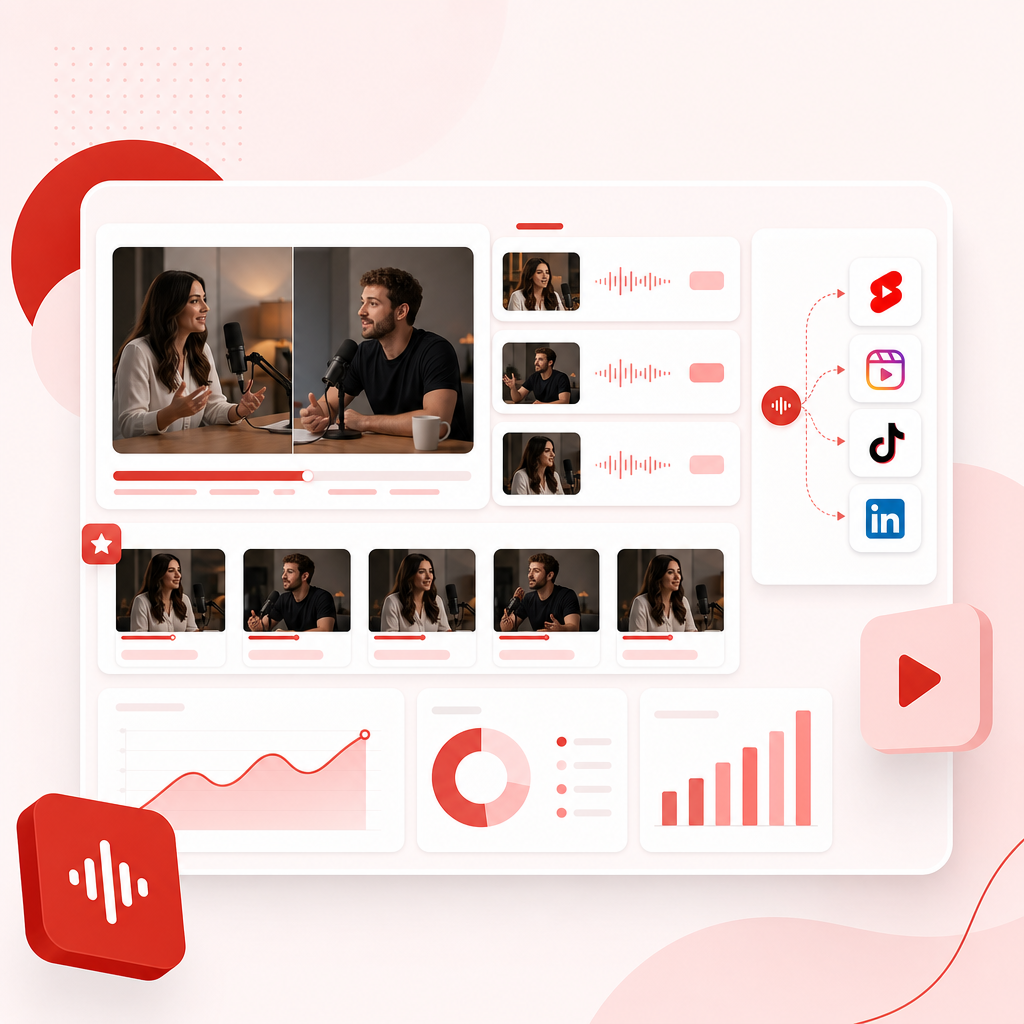
Vizard Clips solves this by turning long-form videos into multiple short, shareable clips for: YouTube Shorts, TikTok, Instagram Reels, and LinkedIn—faster than manual editing.

Why Interview Shows Lose Growth (Even When the Content Is Great)
For interview show hosts, these are the common bottlenecks:
- Editing takes too long. The “best moments” are there—you just can’t isolate them quickly.
- Posting cadence drops. After one long upload, short-form output slows down.
- Insights don’t reach new audiences. Short clips are often what attract viewers who never find the full episode.
- Consistency becomes a struggle. Even great episodes can underperform without consistent clip posting.
Vizard Clips helps you multiply your output from every episode so you can stay visible—without doubling your workload.
What Vizard Clips Does (In Plain Terms)
Vizard Clips helps you repurpose long-form content into bite-sized clips by focusing on what your audience wants most: moments they can understand, share, and follow.
Use it for:
- interview podcasts
- webinars
- livestream recordings
- YouTube videos (including episodes, panels, and recaps)
- any long-form conversation you publish
Result: You get multiple short clips ready for social—so you can drive traffic back to your channel and increase total reach.
How It Works: From Long Episode to Short Clips (Fast)
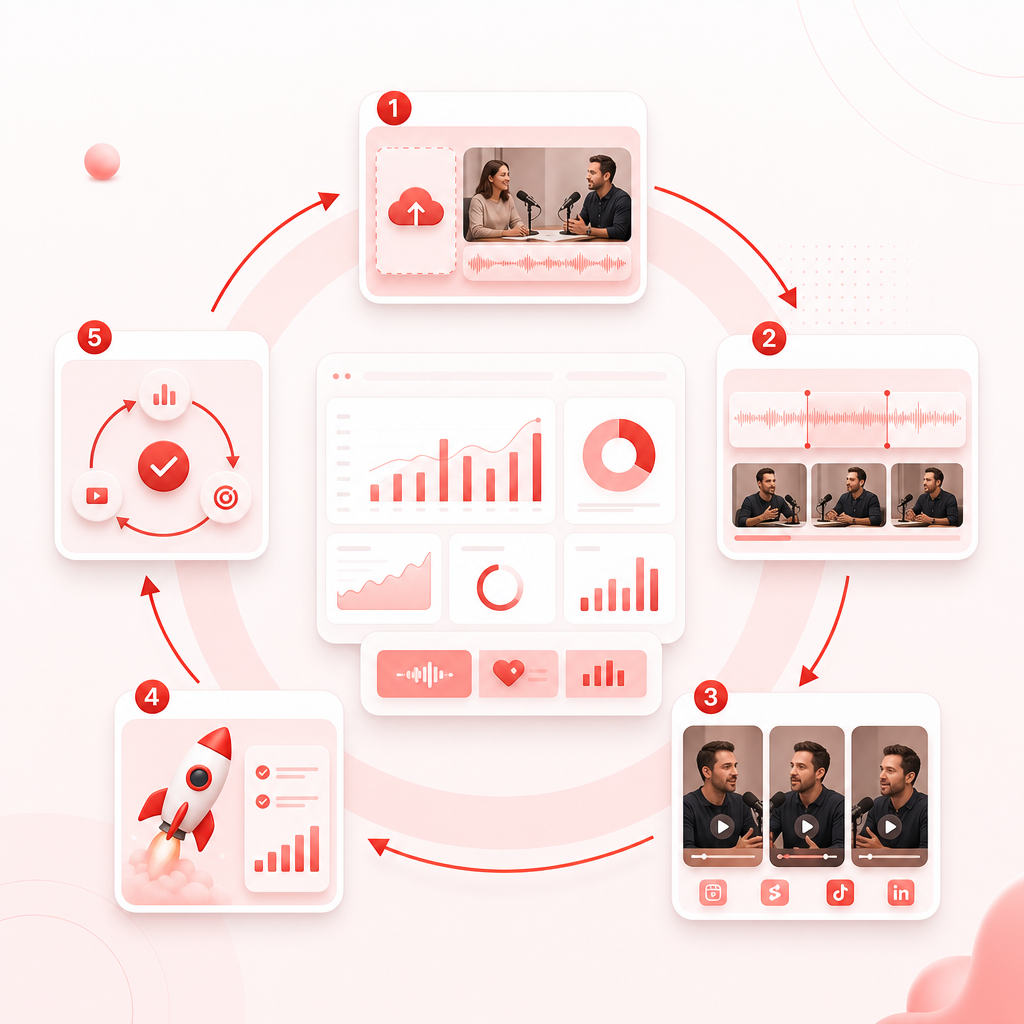
- Upload your long-form interview (or point to the recording/video you want to repurpose).
- Vizard Clips identifies key moments worth turning into short-form content.
- Generate multiple clips designed for platforms like Shorts, Reels, TikTok, and LinkedIn.
- Publish faster and keep your audience fed between long-form uploads.
- Repeat consistently—so growth compounds across weeks and months.
For interview show hosts, this reduces the “after upload chaos” and keeps your content pipeline flowing.
Video Templates for Interview Hosts (Make Clip Creation Repeatable)
One of the fastest ways to grow is to standardize how you clip and publish. That’s where Video Templates (and a repeatable clip workflow) matter. With Vizard Clips, you can build a consistent approach like:
Quote-first clips
“The line you can’t forget”
Insight explainers
a moment + a clear takeaway
Debunk / hot take
a short segment with strong hooks
Story highlights
buildable narrative arcs from interviews
Audience prompts
moments designed to spark comments (“Would you agree?”)
Instead of reinventing the wheel per episode, you follow a proven structure—so every interview becomes a repeatable content machine.
Explore Use Cases: Where Interview Clips Perform Best
Here are practical Explore use cases specifically for interview show hosts—plus what kind of clips tend to win.
1) Guest Episodes (Podcast / YouTube Interview Shows)
Best clip types:
- quotable lines
- surprising facts
- “why this matters” takeaways
- best advice segments
Why it works: viewers follow guests as much as hosts—short clips help them discover you through guest audiences.
2) Authority Interviews (Industry Experts)
Best clip types:
- clear frameworks (“Do X, not Y”)
- myths vs reality
- step-by-step recommendations
Why it works: authority content performs when it’s condensed into a single idea per clip.
3) Panel Discussions & Heated Debates
Best clip types:
- the moment the argument flips
- contrast statements
- “strongest point” highlights
Why it works: debate segments create replay value and drive comments.
4) Webinars & Educational Interviews
Best clip types:
- definitions
- actionable how-tos
- quick case studies
Why it works: educational clips turn long lessons into savable moments.
5) Repurposing “TV & Movies” Style Interviews
If your show covers entertainment, screenwriting, filmmaking, casting, or film culture, clip repurposing still works—just tailor it.
TV & Movies clip ideas:
- scenes behind the scene: “what the audience didn’t see”
- creative process explanations
- casting decisions / production stories
- “how it was made” mini lessons
Why it works: entertainment audiences love specifics—and short clips are perfect for discovery.
Pair GapTube.ai with Vizard Clips for Faster, Smarter Publishing
Vizard Clips multiplies what you already created. GapTube.ai helps you decide what to create next.
How they work together:
GapTube.ai (YT Research Tool): scans real-time worldwide trends, finds content gaps in your niche, and generates actionable video ideas in 70+ languages.
Vizard Clips: then turns those long-form videos (including interviews) into dozens of short clips so you get more reach from every upload.
Pairing result: Discover winning topics with GapTube.ai → multiply your output with Vizard Clips.
Vizard Clips helps you:
- Increase content output without doubling editing time
- Turn every interview into multiple distribution opportunities
- Build consistent short-form presence
- Boost reach across YouTube Shorts, TikTok, Reels, and LinkedIn
- Extract the most shareable moments instead of manually hunting them
- Drive traffic back to your long-form episodes
Use it for interview podcasts, webinars, livestream recordings, videos (including episodes, panels, and recaps), and any long-form conversation you publish.
Benefits Interview Hosts Care About (Conversion-Focused)
- Increase content output without doubling editing time
- Turn every interview into multiple distribution opportunities
- Build consistent short-form presence
- Boost reach across YouTube Shorts, TikTok, Reels, and LinkedIn
- Extract the most shareable moments instead of manually hunting them
- Drive traffic back to your long-form episodes
Quick Checklist: Are You Ready to Multiply Interview Clips?
If you’re doing any of these, you’ll benefit immediately:
- You publish long-form interviews regularly
- You want more Shorts/Reels/TikTok output
- You’re tired of spending hours trimming and choosing clips
- Your episodes are strong, but your short-form publishing is inconsistent
- You want a repeatable system for Video Templates-style clipping
Turn one long interview into dozens of ready-to-post clips. Get started with Vizard Clips and start repurposing your episodes into short-form growth content today.
If you want, you can also pair this workflow with GapTube.ai to discover what your next interview should be—then multiply it across platforms.
Frequently Asked Questions
Is Vizard Clips only for YouTube videos?
No. Vizard Clips can repurpose long-form content such as podcasts, interviews, webinars, livestream recordings, and YouTube videos into short clips for multiple platforms.
What platforms can I post clips to?
Clips are designed for YouTube Shorts, TikTok, Instagram Reels, and LinkedIn.
Do I need editing skills to use it?
No advanced editing required. The goal is to help you quickly extract key moments and publish faster than manual clip editing.
How does this help interview show hosts specifically?
Interview shows generate great “quote moments,” but those insights often stay trapped inside long episodes. Vizard Clips helps you turn those moments into shareable clips that extend your reach.
Can I pair Vizard Clips with GapTube.ai?
Yes. Use GapTube.ai to find trending topics and content gaps, then use Vizard Clips to multiply the value of every long-form video you create.
Next Step
Start turning your interviews into short-form growth assets with Vizard Clips—and if you want to improve topic selection too, pair it with GapTube.ai for research-driven publishing.