
Analyze Your YouTube Videos: Find What Works
If you’re running a small YouTube channel, the hardest part isn’t making videos—it’s figuring out which changes are actually moving the needle. You don’t need more guessing. You need proof.
See why they spike or stall, then identify the patterns you can repeat.
Learn how thumbnails and titles work together to earn clicks.
Find where viewers stay, where they drop, and what your hook proves.
Measure, diagnose, choose, test, confirm, and scale.
My Videos — Learn What Actually Works
My Videos is a personal YouTube performance research approach that helps you analyze your own data to uncover what’s driving views, click-through rate, audience retention, search versus suggested performance, and channel growth patterns you can repeat.
This pillar page shows you exactly what to look for—plus how to turn your past performance into smarter future videos using YouTube Analytics, YouTube A/B Testing, and practical testing workflows.
Why Small Channels Need Early Growth Signals
Most YouTube advice is written for channels with thousands or millions of views. Small channels don’t have the luxury of slow learning. You need to catch growth early—before you invest weeks in the wrong direction.
Higher CTR than your channel average, even if views are still modest.
Better retention in the first 30–60 seconds.
More traffic shifting toward Suggested or Search over time.
Repeat viewers and returning audience behavior after certain topics or formats.
A noticeable lift after a specific thumbnail style, title pattern, or video structure.
The goal: identify patterns faster, then double down.
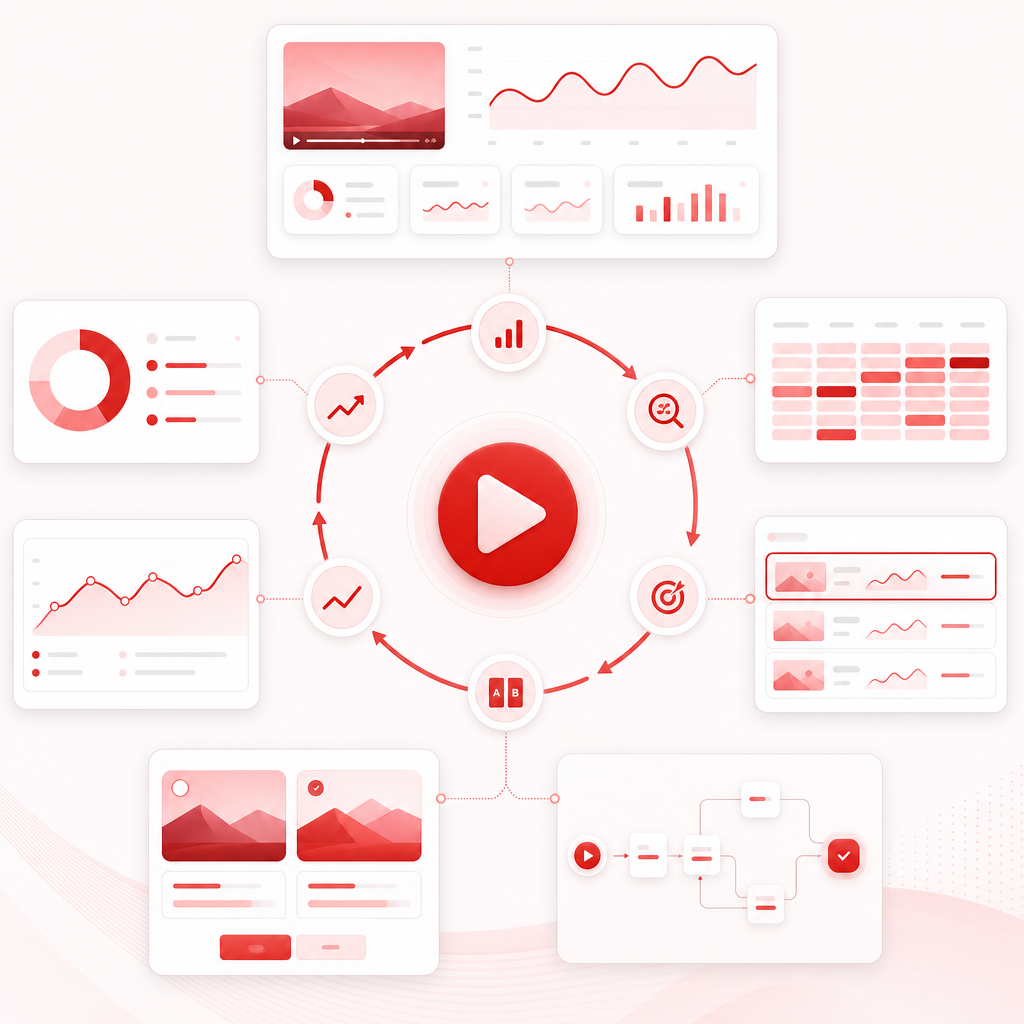
The Core Framework: Use Your Video Data Like a Growth Loop
Think of performance research as a loop you can repeat every week. My Videos helps you structure that loop—so your next uploads aren’t shots in the dark.
The 5 Metrics That Matter Most for What Works
When you’re small, you must prioritize metrics that reflect real audience response, not vanity totals.
1) CTR: Thumbnail + Title Chemistry
CTR answers: Did people want to click? Look for CTR above your baseline, spikes tied to a style or format, and consistent improvement across similar videos.
2) Impressions & Impression Click-Through
CTR without impressions is a dead end. Look for increasing impressions, more Suggested or Search visibility, and click rate that holds as impressions expand.

3) Audience Retention
Retention answers: Did viewers keep watching? Look for strong first 30–60 seconds, drop-off points, and end-of-video completion trends.
4) Traffic Sources
Traffic sources reveal what YouTube thinks your video is for. Watch for increased Search, increased Suggested, and mix shifts after changing format or topic.
5) Engagement Signals
Likes, comments, and returning interest help validate audience fit through comment depth, repeat questions, engagement rates, and binge-able patterns.
What to Extract from Your Past Videos
To stop guessing, you need to convert performance into repeatable rules across topics, titles, formats, and thumbnails.
Topics: Which Themes Earn Demand?
Group videos into topic buckets like beginner vs. advanced, problem/solution vs. storytelling, how-to vs. reviews vs. commentary, or specific niche subtopics. Compare which topics earn impressions, clicks, and attention.
Titles: Patterns That Earn Clicks
Look for title structures in your top CTR videos. Record word count range, numbers or timeframes, clarity versus curiosity, and whether the promise matches retention.
Formats: Retention-Friendly Structures
Compare single idea vs. multi-part series, pacing, script style, and length bands. If one format repeatedly improves retention, make it your default.
Thumbnails: Visual Triggers That Boost CTR
Track faces, text style, emotion, problem/solution imagery, brand consistency, and experiments. If CTR rises but retention collapses, alignment needs fixing.
A/B Testing Without Wasting Video Cycles
A/B testing works when you test the right variable and evaluate the right metrics. Avoid testing 5 things at once. Small channels need clean experiments.
What to A/B Test First
- Thumbnail as a CTR driver
- Title as a CTR driver
- Small hook changes only if you already have consistent CTR
When to Stop Testing and Double Down
- CTR lift is sustained across similar impressions.
- Retention is not degrading.
- Traffic sources improve with more suggested or search traction.
How to Use My Videos to Find Winning Patterns
Here’s a simple weekly process you can follow.
Pick your last 10–30 videos
Include your newest uploads, top CTR videos, highest-retention videos, and a couple middle performers.
Identify your winners by goal
Growth means CTR plus impressions. Monetizable potential means retention plus watch time. Search growth means traffic sources plus topic alignment.
Extract repeatable patterns
Create notes for each winner: topic bucket, title pattern, format structure, thumbnail style, and hook approach.
Turn patterns into a test plan
Use your winning topic bucket, a title template that matches your best CTR titles, two thumbnail variations targeting the same promise, and a final alignment check.
Confirm results with YouTube Analytics
After 48 hours to 7 days, depending on channel activity, compare CTR versus baseline, retention curves versus prior videos, and traffic source shifts.

How GapTube.ai Helps Creators Learn What Works
GapTube.ai – YT Research Tool helps you master YouTube strategies, discover trending content opportunities, and automate research.
- Scan real-time trends worldwide.
- Identify content gaps in your niche.
- Generate actionable video ideas in 70+ languages.
- Use daily insights to plan smarter—and avoid repeating the wrong patterns.
Combine your own channel patterns with the YouTube keyword tool and use Gaptube to discover what is already working.
Start Your ResearchWhy This Landing Page Converts
Because you’re not asking for motivation—you’re asking for clarity. My Videos is built for the moment you realize you need more than ideas, you need evidence, and your next upload should be based on what your audience already responded to.
For more ways to keep planning useful videos, explore Why Choose Us?
Frequently Asked Questions
How many videos do I need to see patterns?
Should I A/B test thumbnails or titles first?
What if my top CTR videos don’t have the best retention?
Is YouTube Analytics enough to guide my next video?
Ready to Stop Guessing What to Post Next?
If you want your next videos to be built from evidence—not hope—start with My Videos — Learn What Actually Works and use your own data to find winning patterns in topics, titles, formats, thumbnails, and the keywords that match what your audience responds to.
Start Your Research