
What Is a Good YouTube CTR? Improve It With Your Data
If you’ve ever stared at YouTube Studio thinking, “Why did that video earn clicks while this one barely moved?”—you’re not alone. For creators optimizing click-through rate, the real advantage isn’t guessing. It’s analyzing your own YouTube videos to uncover what your audience responds to: the titles, thumbnails, and topic packaging that consistently earn clicks.
CTR optimization is pattern-finding
CTR optimization should be a pattern-finding exercise—not a random thumbnail refresh.
Learn what actually works
My Videos helps you analyze what’s driving clicks (CTR), views, retention, and growth—so you can repeat the winners.
Quick Answer: What Is a Good YouTube CTR?
There’s no single universal “perfect” CTR. CTR depends on niche, audience, video type, and where your video shows up (Home, Browse, Suggested, Search, Shorts shelf, etc.).
Below ~2%: Needs packaging improvement (title/thumbnail mismatch is often the issue)
~2–5%: Average to promising (room to test)
~5–10%: Strong click performance (your packaging is resonating)
10%+ (sometimes): Excellent—often from very strong topical demand + highly compelling packaging
The real goal: Don’t just chase “good.” Compare against:
- your own channel baseline, and
- your best-performing videos in the same category.
Most creators use these ranges as a starting point.
How YouTube CTR Works (So You Can Improve It)
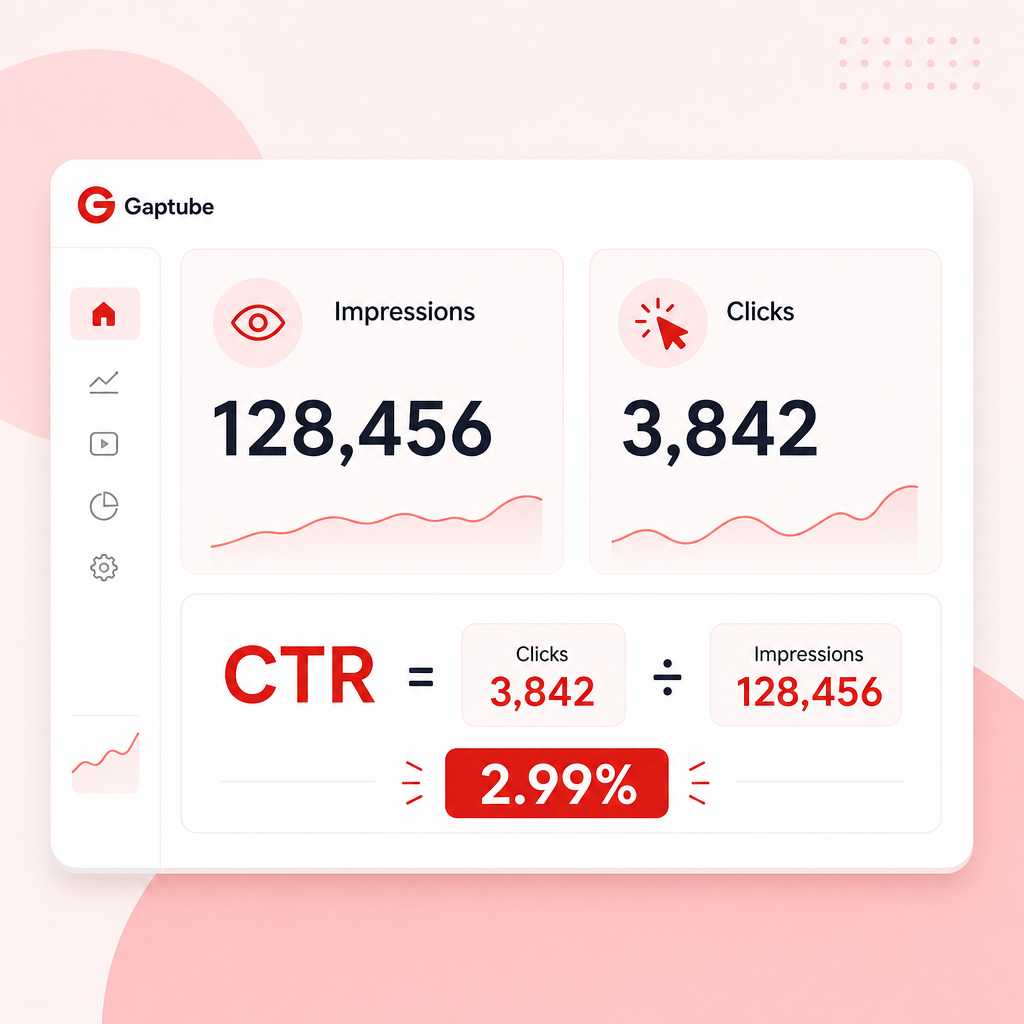
CTR on YouTube = Clicks ÷ Impressions.
Impressions = how many times your video thumbnail was shown to viewers
Clicks = how many people clicked when they saw it
This matters because CTR can drop even when your video is “good”:
- your thumbnail/title isn’t landing,
- YouTube is showing your video to the wrong audience,
- or your packaging promise doesn’t match what the viewer expects.
In other words: CTR is a packaging metric.
Why CTR Improves When Your Packaging Matches Your Audience
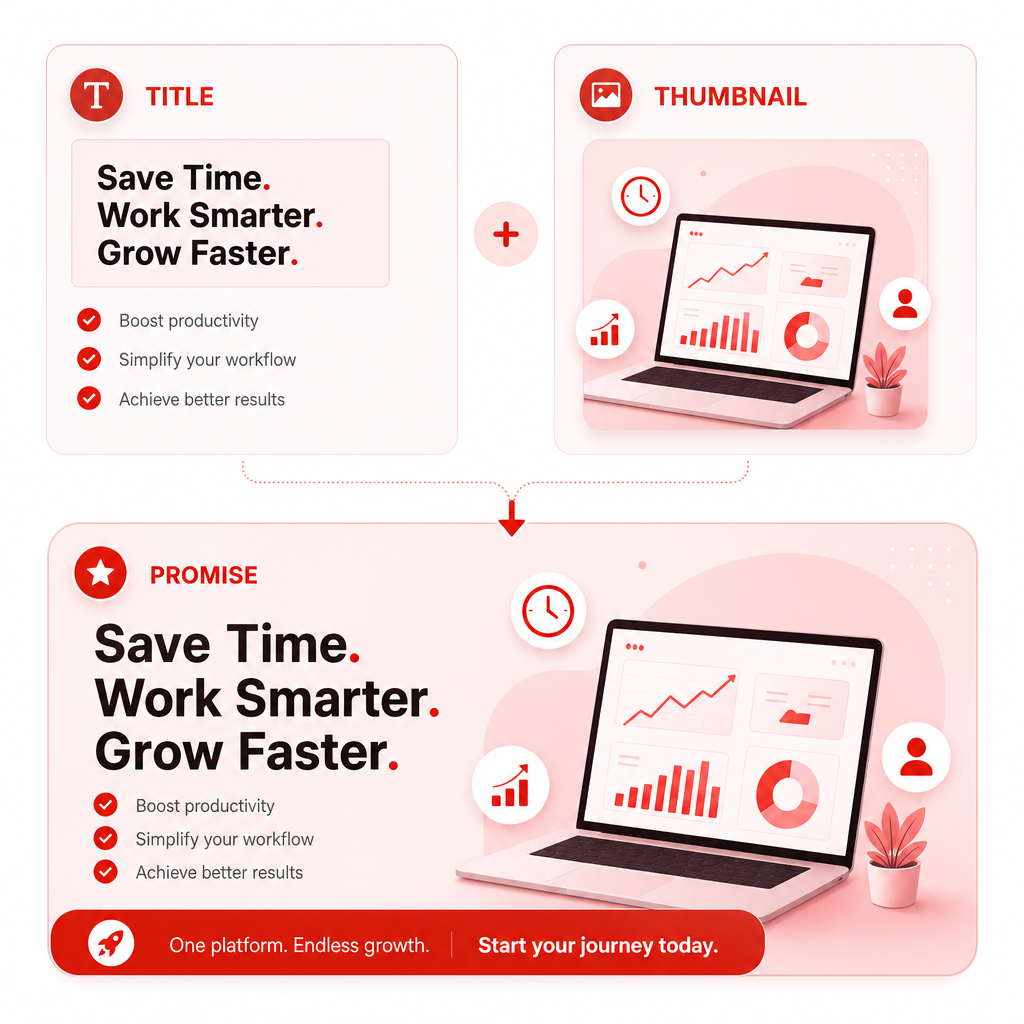
Packaging = Title + Thumbnail (the promise you make)
Your thumbnail and title create an instant expectation:
- Who is this for?
- What will I get?
- Why should I click this video now?
If your packaging is too vague, too similar to everyone else, or promises something your video doesn’t deliver, clicks won’t follow.
That’s exactly why learning which packaging styles have attracted the most clicks on your own channel is the fastest path to improvement.
The 5 Packaging Styles That Commonly Win Clicks (Use Them—Then Personalize)
Optimization works best in two stages:
- apply proven packaging patterns, and
- discover which versions your audience actually clicks on.
1) Clear Benefit
Less “mystery,” more “why click.”
Title angles like:
- How to ___ (without ___)
- The fastest way to ___
- I tested ___ so you don’t have to
What to look for in your data: videos where viewers already know the topic—but click because the title makes the outcome obvious.
2) Specificity & Numbers
The “expectation setting” CTR booster.
Title angles like:
- 7 mistakes…
- Top 10 tools…
- $0 to ___ in 30 days…
Your personalization step: check whether your audience clicks more on “how-to with numbers” vs “storytime” or “opinion” packaging.
3) Curiosity with Boundaries
Curiosity that doesn’t feel like clickbait.
Title angles like:
- The part nobody tells you about ___
- What happens when you ___ (I tried it)
- I was wrong about ___
Data check: do your highest CTR videos include curiosity phrasing—or do they underperform because your audience prefers certainty?
4) Contrast & Readability
Thumbnail clarity beats “more design.”
- bold contrast
- clear subject
- legible text (when used)
- uncluttered composition
Quick rule: If someone sees your thumbnail for half a second, can they still understand the point?
Data check: compare your “clean” thumbnail formats vs your “busy” ones.
5) “Format Branding”
Recognition increases clicks.
If your channel has recognizable patterns—same style, same layout, consistent type of promise—viewers click faster.
Data check: look for whether your audience clicks more on certain series packaging than on one-off designs.
Creator Tips: Use Your Own Video Data to Stop Guessing
Most advice about CTR is generic. This pillar page is different: it’s built for creators who want to optimize based on what’s already working for them.
The key mindset: CTR optimization should be a pattern-finding exercise—not a random thumbnail refresh.
That’s why My Videos — Learn What Actually Works is designed to analyze your channel’s performance and show you what’s driving:
- clicks (CTR),
- views,
- retention,
- and growth—so you can repeat the winners.
How “My Videos” Helps You Find Your Winning Packaging Patterns
Instead of manually scrolling through videos, guessing, and hoping your next upload “clicks,” My Videos helps you:
- Spot which videos earned the most clicks from impressions
- Compare high-CTR vs low-CTR packaging (title + thumbnail patterns)
- Identify which topics, keywords, and formats correlate with better performance
- Turn those findings into smarter decisions for what to post next
Stop asking: “What should I make next?”
Start asking:
- What did my audience already click?
- Which title phrasing showed up in my highest CTR videos?
- Which thumbnail style looked more clickable for my viewers?
- What topic packaging consistently wins suggestions/home traffic?
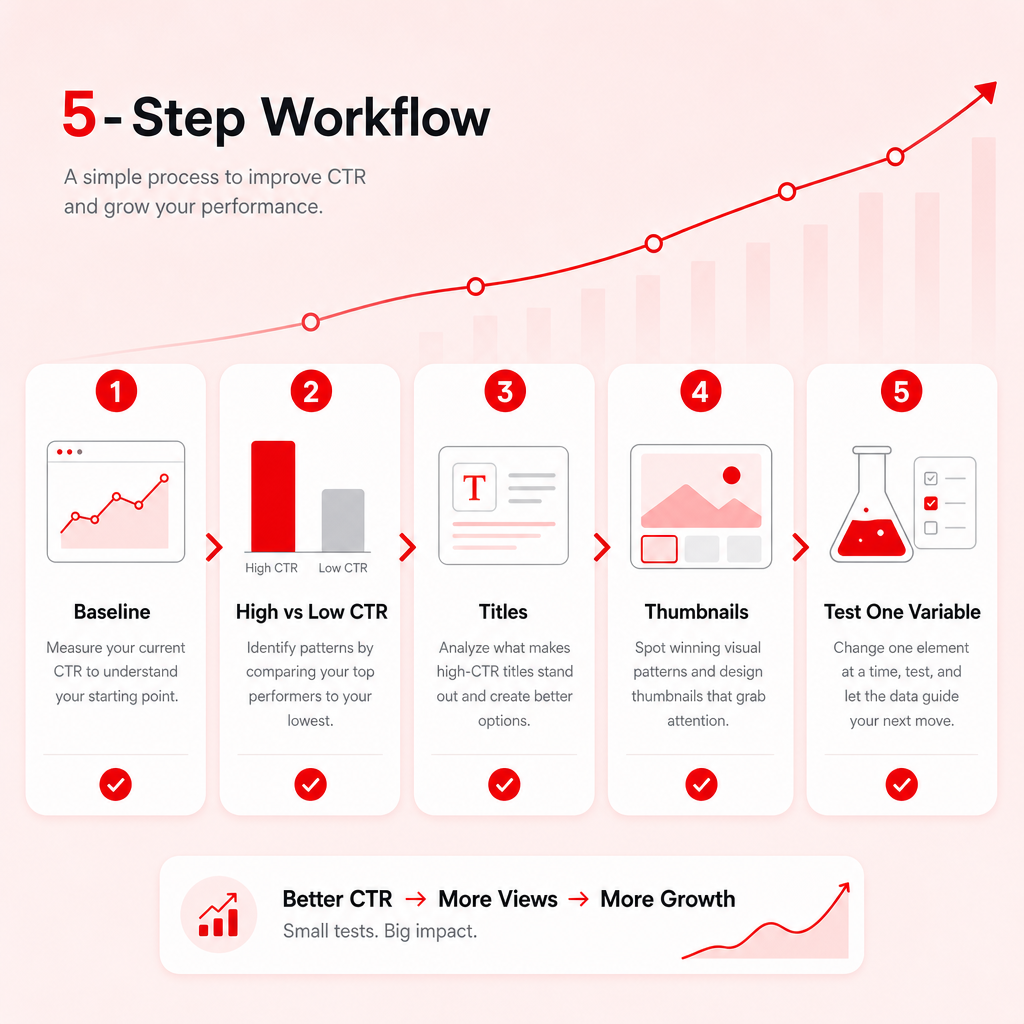
Step-by-Step: A Simple CTR Optimization Workflow (That Actually Works)
Use this process every time you’re planning a new batch of YouTube videos.
Step 1: Pull your performance baseline
In My Videos, focus on your metrics and patterns across your recent uploads:
- CTR (click-through rate)
- impressions (are you being shown?)
- views and retention (did they click and stay?)
Step 2: Separate “high CTR” from “low CTR”
Create two buckets:
- High CTR packaging (videos your viewers clicked on)
- Low CTR packaging (videos your viewers ignored)
If a video has high views but low CTR, it may be winning later stages. Don’t force CTR changes—diagnose packaging separately.
Step 3: Compare titles (hook style, clarity, specificity)
Look for repeating patterns such as:
- clearer outcomes vs vague hooks
- numbers used vs not used
- question titles vs statement titles
- “myth vs truth” vs “how-to” angles
Step 4: Compare thumbnails (clarity, contrast, subject, text)
Check for consistent traits across your best-clicked thumbnails:
- face/expression vs no face
- single object vs cluttered scene
- short text vs no text
- high contrast color scheme vs muted styling
- consistent framing (zoom level, lighting, layout)
Step 5: Replicate the winners—then test one variable
When you improve CTR, change one major variable at a time:
- same idea + improved thumbnail readability, or
- same concept + revised title hook style
This keeps your results measurable and prevents random “design luck.”
What Causes CTR to Drop? (Common Reasons Creators Miss)
Here are frequent CTR problems you can catch by comparing your high vs low CTR videos:
- Thumbnail promise doesn’t match the video
- Title is too vague (“Day in my life,” “Update,” “New video”)
- Too many elements competing for attention
- Text is unreadable on mobile
- Low contrast (especially in dark themes)
- Overused styling that looks indistinguishable from competitors
- Your video gets shown to the wrong audience (packaging attracts the wrong click intent)
My Videos helps you confirm which one is happening on your channel—using your own history, not theory.
How to Use “What Is a Good YouTube CTR?” to Make Better Decisions
Use CTR to answer: “Did the packaging earn the click?”
If CTR is low:
- improve title clarity
- refine thumbnail readability
- verify that the promise matches the first seconds of the video
Use retention to answer: “Did the video deliver after the click?”
High CTR + low retention often means:
- bait-and-switch packaging
- weak opening or pacing mismatch
- topic promise leads to a different viewer expectation
CTR and retention work together. But don’t blame retention for packaging problems (and vice versa).
Frequently Asked Questions
1) What is a good YouTube CTR for my channel?
A “good” CTR depends on your niche and traffic sources. Use benchmarks as context, but rely on your own baseline. In My Videos, compare your high CTR vs low CTR packaging to set a realistic goal.
2) Should I chase a high CTR no matter what?
Not if your clicks come from the wrong audience or the promise doesn’t deliver. Aim for qualified clicks—clicks that convert into retention and watch time.
3) Does CTR affect recommendations?
Yes, it can indirectly help. Higher CTR can improve performance from impressions, which can lead to more exposure—while retention and satisfaction metrics determine long-term success.
4) How do I know which thumbnail style to use?
Don’t pick based on trends alone. My Videos shows which thumbnail and title patterns are already driving clicks on your channel so you can repeat what your audience responds to.
Ready to Stop Guessing and Start Replicating What Works?
If you’re a creator trying to improve click-through rate, the best strategy is to learn what’s already getting clicks from your audience—then build future YouTube videos around those patterns.
Try My Videos — Learn What Actually Works
A personal YouTube performance research tool that shows creators what is working on their own channel and how to repeat it.
👉 Start your My Videos research today and discover your winning Creator Tips for packaging that earns clicks.
Start now with your channel’s data
My Videos helps you stop guessing and double down on what already works.
Start your My Videos research todayDiscover your winning Creator Tips for packaging that earns clicks.