
Repurpose YouTube Live Streams Into Video Plans
Turn livestream moments, gaming highlights, and audience questions into planned YouTube videos with a live video content strategy and free tools.
Video repurposing with a plan
Not random clipping—your stream becomes predictable, production-ready uploads.
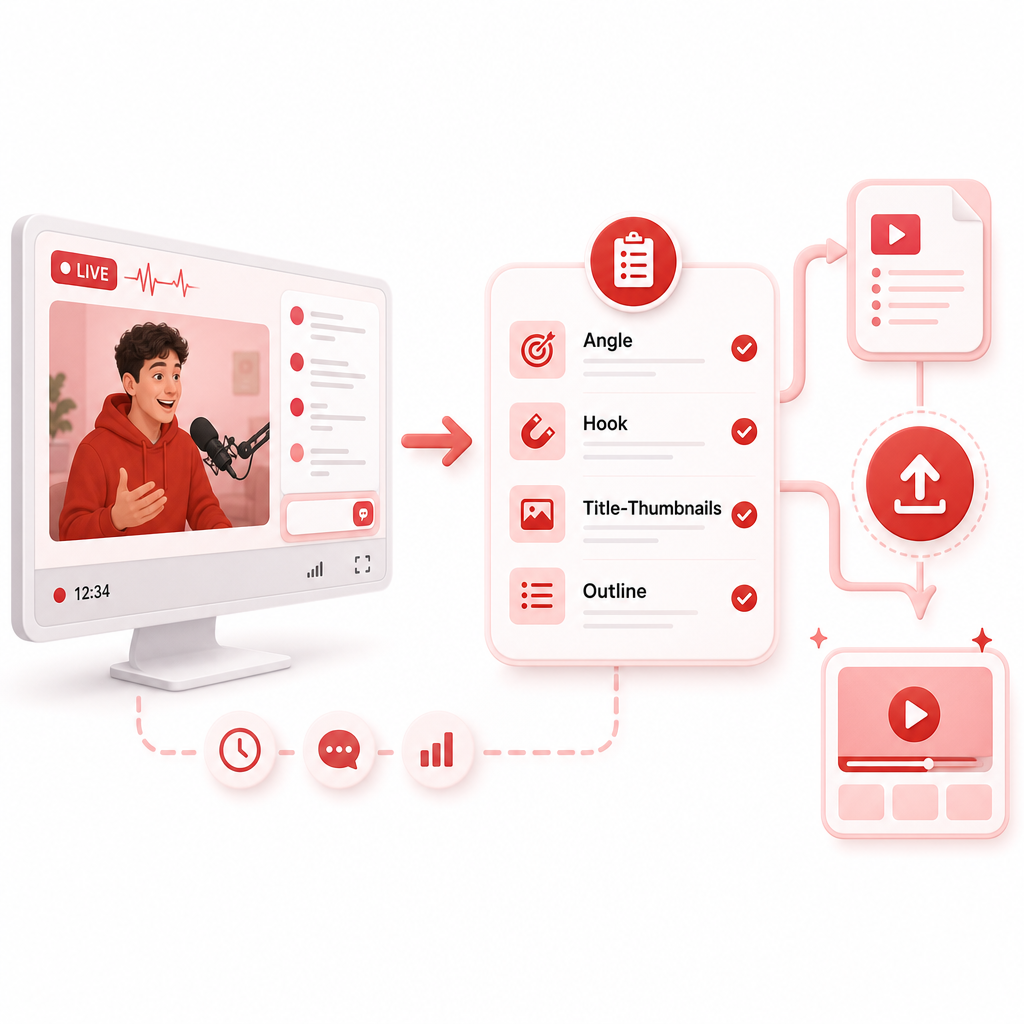
Live moment → upload
Capture opportunity, choose the right angle, and build a ready-to-produce outline.
Hook direction + packaging
Turn chat engagement into titles, thumbnails, chapters, and an “always on” series.
Turn Your Stream Into Uploads (Faster)
If you’re a livestreamer or streamer, you already generate gold: live topics, gaming moments, chat questions, and stream highlights.
The real challenge isn’t finding content—it’s turning those moments into videos that earn clicks, keep attention, and grow your channel.
GapCoach — Turn Ideas Into Videos is your AI YouTube strategy coach that helps you take content opportunities (like trends and content gaps you find with GapTube.ai) and convert them into clear, ready-to-produce video plans—including the right angle, hook direction, title/thumbnail direction, and an actionable outline.
This is Video Repurposing with a plan—not random clipping.
Why Streamers Lose Views After the Livestream
Most creators do one of these:
- Clip a random highlight and hope it performs
- Make a video later, but only remember what they liked—not what the audience needed
- Post a livestream link without packaging it into searchable topics
- Turn “chat moments” into uploads without a clear promise or viewer outcome
You don’t need more content. You need a live video content strategy that turns live engagement into predictable, production-ready video ideas.
The Gap-to-Upload System (From Live Moment → Upload)
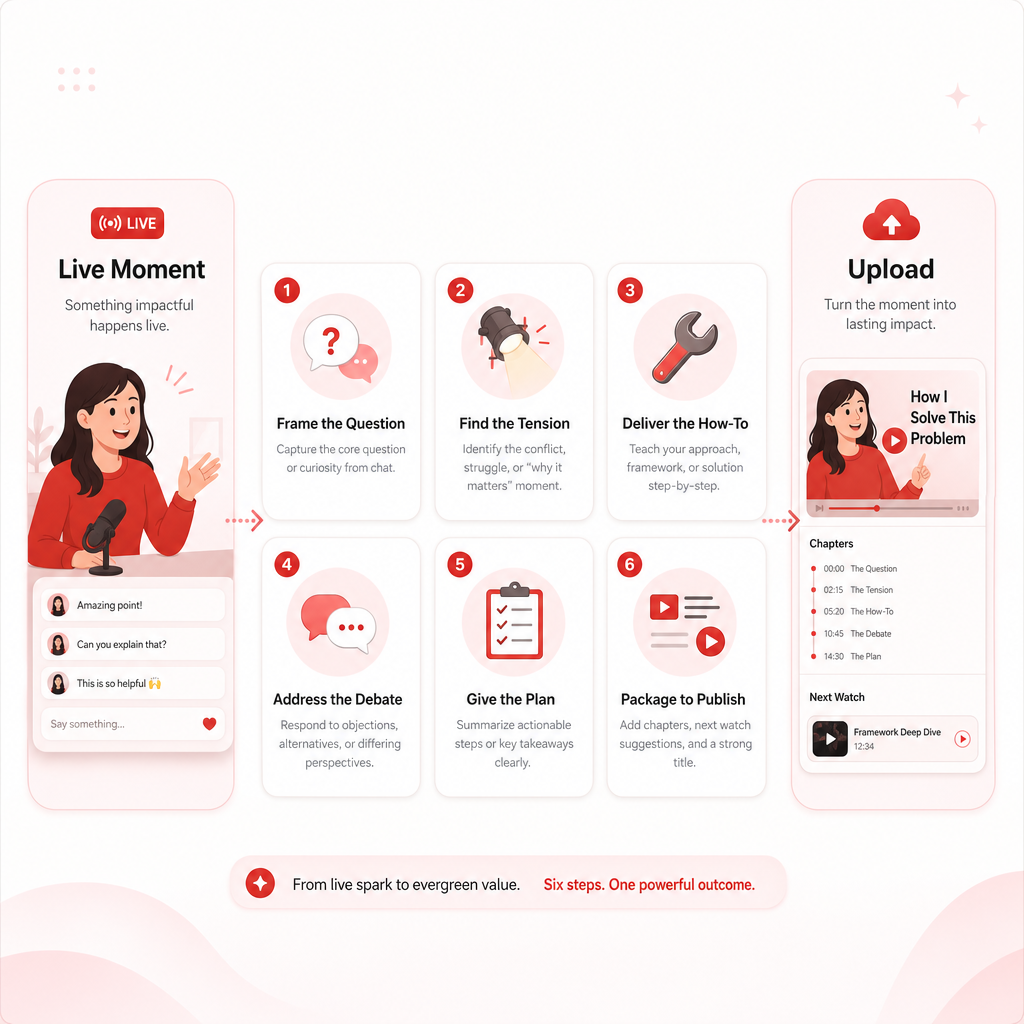
Here’s the simple workflow GapCoach helps you run—so your next stream produces tomorrow’s uploads.
Capture “Opportunity” Moments During the Stream
Don’t just watch chat—mine it. The best video ideas come from moments that create curiosity.
Look for:
- Audience questions (the ones chat keeps repeating)
- Tension moments (a mistake, controversy, failed run, unexpected outcome)
- How-to moments (tips, strategies, build explanations)
- Confident opinions that sparked debate
- Viewer wins (the plan worked—why?)
Pro tip: Start jotting “episode notes” in real time—timestamp + what happened + why it matters.
Convert Live Moments Into a Video Angle
Every highlight needs a “so what.” Turn the moment into a viewer-facing promise:
- “Stop doing X—do this instead”
- “I tried the most common strategy… here’s what actually worked”
- “The hidden reason your videos aren’t ranking (based on this test)”
- “The mistake almost every beginner makes—fix it with this workflow”
This step is what most streamers skip.
Validate Demand With Content Gaps (GapTube.ai)
GapTube.ai scans real-time trends worldwide and helps you discover content gaps in your niche—so you’re not just posting what you enjoyed.
Then you bring that opportunity into GapCoach to turn it into a real plan.
✅ Outcome: Your ideas are connected to what’s currently getting attention, not just what you filmed.
Build the Plan in GapCoach (The “Ready-to-Produce” Part)
GapCoach helps you create a video plan in minutes:
- Choose the best angle
- Improve the hook direction
- Plan title/thumbnail direction
- Create an actionable outline so you can move from “idea” → “upload”
This is where your stream becomes repeatable output, not guesswork.
Produce Clips + Videos With a Simple Repurposing Map
Instead of making everything one long clip dump, repurpose with intent.
A strong approach:
- One searchable video (6–12+ minutes, or whatever fits your audience)
- 3–7 Shorts pulled from the best hook/turning points
- 2–5 clips for community building (and future retargeting)
Publish Like a Marketer, Not Like a Stream Archive
Use your livestream like a content engine:
- Make the video description do discovery work (keywords + context)
- Use chapters when possible
- Pin the best timestamp/section
- Link the “next watch” opportunity from your videos to clips/episodes
This aligns with best practices from live video content strategy coverage—turning livestreams into a growth funnel, not just a one-time event.
Live Video Content Strategy for Livestreamers (YouTube Growth Edition)
A live stream can absolutely grow your channel—if you plan it like content, not only entertainment.
Before You Go Live: Set Up for Search + Clicks
- Pick a clear livestream theme (one main outcome for viewers)
- Match the livestream title to what people will search for later
- Think “video packaging” during the stream (what will this become?)
During the Stream: Generate Answers, Not Only Reactions
- Ask your viewers questions that you can later answer in a video
- Repeat viewer questions aloud (so they’re searchable later)
- Encourage chat to vote on the next test or strategy
- Keep a running list of the “best moments” you’ll reuse
After the Stream: Turn the Replay Into Discoverable Content
- Don’t rely on “people will find it.” Package your content:
- Re-title highlights (when posting as clips)
- Add context in captions/descriptions
- Point viewers to the full idea behind the clip
Marketing Strategy: Build an “Always On” Series
- Consistency beats random virality. Examples:
- “We test 1 build per stream”
- “Chat controls the challenge”
- “Top viewer questions turned into videos”
When your audience learns the format, your Video Repurposing gets easier—and performs better.
Video Repurposing Blueprint: What to Clip (and What to Turn Into a Video)
Not every moment should become a Short.
Clip-worthy moments (ideal for Shorts + clips)
- The first reaction + the payoff
- A mistake that leads to a fix
- A quick “rule” you discover
- A meme moment that reveals a real strategy
- A chat question answered clearly
Video-worthy moments (ideal for longer uploads)
- A full tutorial or step-by-step method
- A test you ran with results (before/after)
- A breakdown of “why it failed” / “why it worked”
- A myth-busting explanation sparked by chat
- A structured challenge with outcomes
Rule of thumb: If viewers would watch the next episode to see the result, it’s a video—not just a clip.
Free YouTube Tools to Support Your Repurposing Workflow
You don’t need paid tools to start getting smarter about what to post. Use these Free YouTube Tools and built-ins to improve targeting, hooks, and packaging:
1) YouTube Studio (Free)
- See what’s already performing (by search and suggested)
- Identify retention patterns in your own videos
- Monitor top traffic sources for clues
2) YouTube Search Suggestions (Free)
- Type a query and watch what autocomplete shows. That’s direct demand language.
3) Google Trends (Free)
- Spot topic momentum and seasonality—especially helpful for gaming events and evergreen strategies.
4) (Optional) Free Editing Workflows
- Use free clip workflows (and free tiers) to cut Shorts quickly
- Prioritize speed: your plan matters more than perfect editing at first
Use these to answer one question: “What should the next video promise?” Then GapCoach helps you turn that promise into a plan.
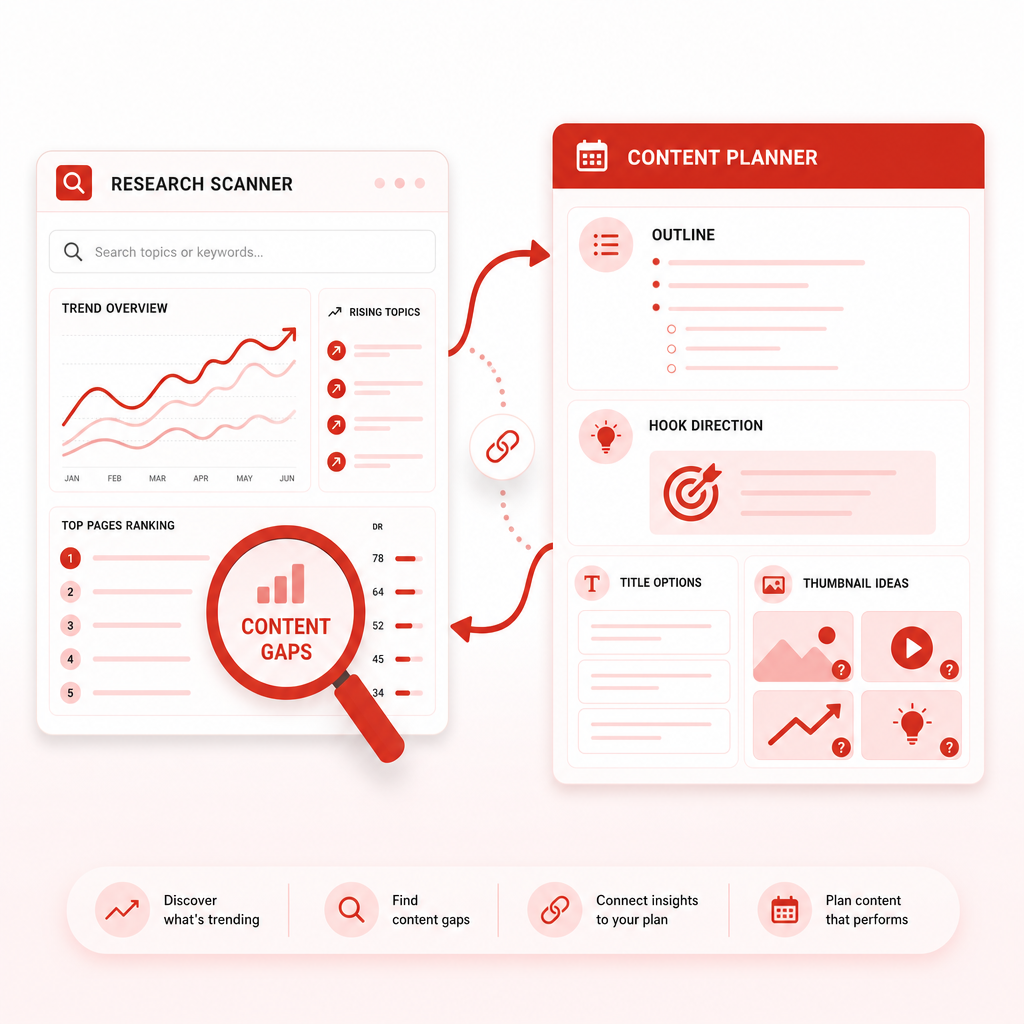
How GapTube.ai + GapCoach Work Together
Here’s the clean connection:
- GapTube.ai (YT Research Tool): scans real-time trends, finds content opportunities, and identifies content gaps in your niche (in 70+ languages).
- GapCoach: takes those opportunities and converts them into ready-to-produce video plans—so you don’t get stuck.
Your process becomes:
- 1) Stream → capture moments + questions
- 2) GapTube.ai → find trending angles + content gaps
- 3) GapCoach → turn it into hook/title/outline you can execute today
- 4) Repurpose into clips + upload with consistency
Want a head start on your content opportunities?
This helps you keep your pipeline filled with angles worth turning into videos.
Ready-to-Use: Example Repurposing Plan (Stream → Video)
Let’s say during your stream you cover a technique and chat keeps asking follow-ups.
Live moment: viewers ask, “How do I do X consistently?”
Angle: “Most streamers do X wrong—here’s the fix you can apply today”
GapTube.ai insight: trending search signals + gaps in your niche
GapCoach output:
- hook direction (what to say in the first 10 seconds)
- title/thumbnail direction (click-worthy promise)
- outline (exact sections + transitions)
Then you repurpose:
- 1 main video
- 5 Shorts from the hook, middle turning point, and the “aha” moment
- 2 clips for community engagement and retargeting
That’s how you turn live content into planned uploads.
CTA: Turn Your Next Stream Into a Video Plan
If you’re ready to stop guessing and start producing faster, use GapCoach to turn GapTube.ai content opportunities into video plans you can execute immediately.
Start with GapTube.ai, then let GapCoach guide you from idea → hook → outline → upload.
Ready to turn live moments into your next best-performing videos?