
AI Clip Repurposing for B2B Teams
B2B marketers don’t lack content ideas—they lack time to publish consistently across LinkedIn and YouTube.
Turn one long-form video into dozens of ready-to-post clips.
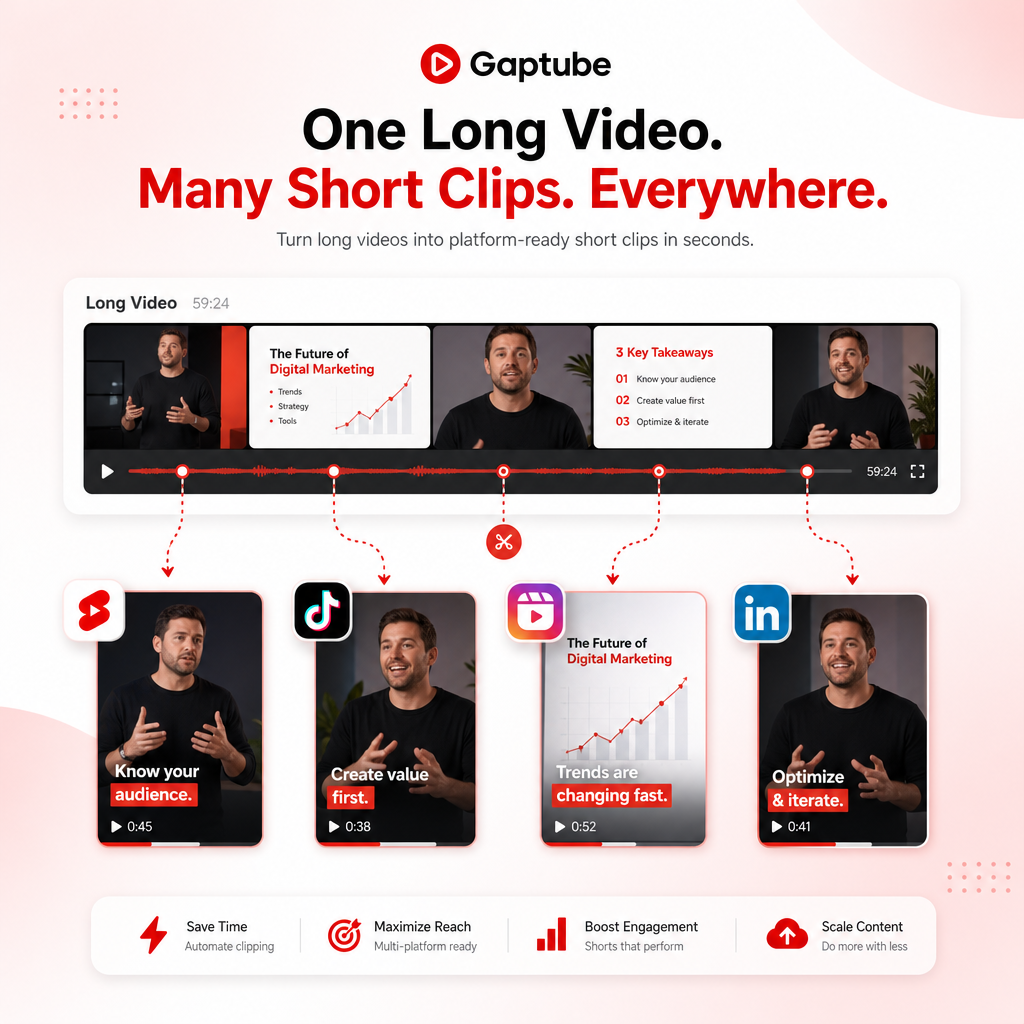
Vizard Clips — Multiply Your Content Output
Vizard Clips turns one long-form video into dozens of ready-to-post clips—so your team can repurpose webinars, interviews, product demos, podcasts, livestreams, and YouTube videos into short-form content for:
- YouTube Shorts
- TikTok
- Instagram Reels
Simple positioning: “Turn one long video into dozens of ready-to-post clips.”
Why B2B Teams Need Long-to-Short Repurposing (Now)
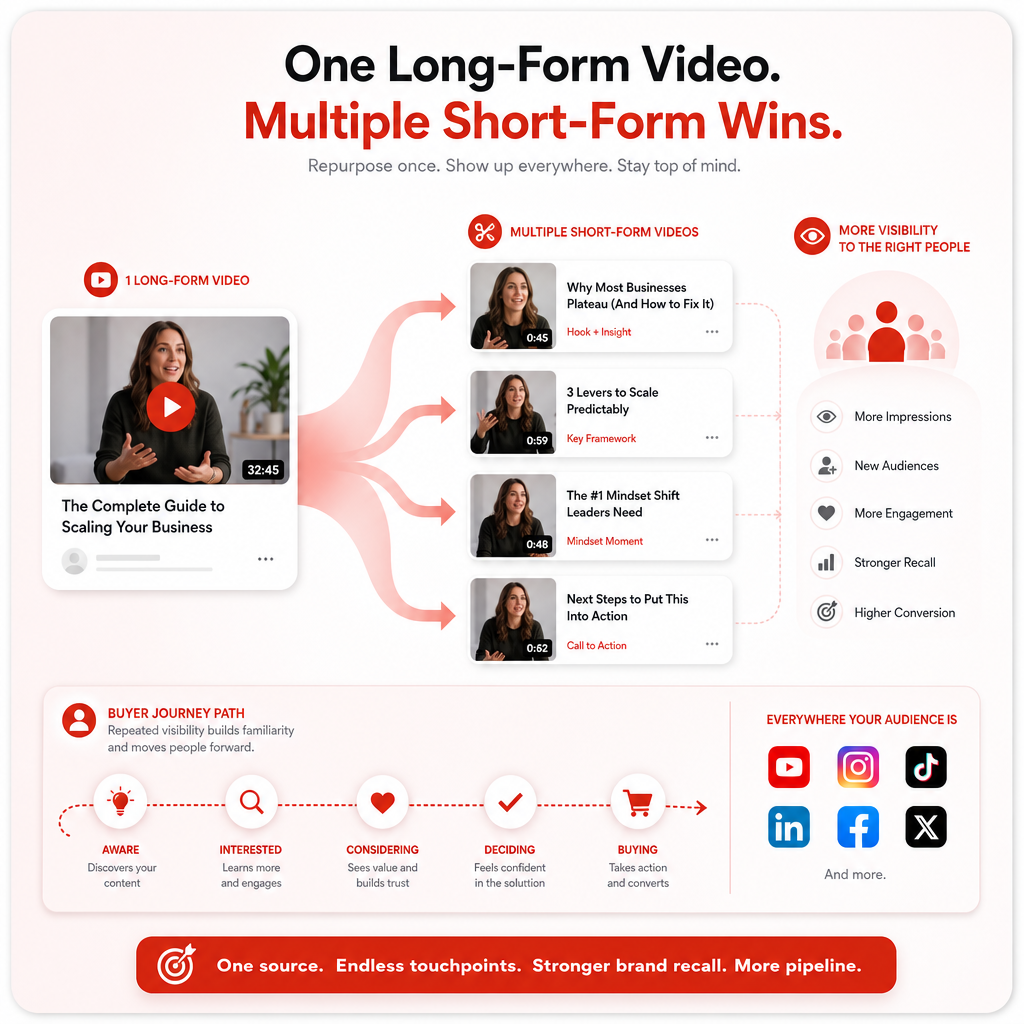
Long-form content performs—especially on YouTube—but the buyer journey is built on repeated visibility.
Short-form clips help you:
- Extend reach to new audiences (without starting from scratch)
- Increase content touchpoints for retargeting and nurturing
- Keep leadership, subject-matter experts, and product teams visible
- Maintain posting cadence across platforms
The problem: most repurposing workflows are manual and slow (editing, selecting moments, formatting, captioning, and scheduling).
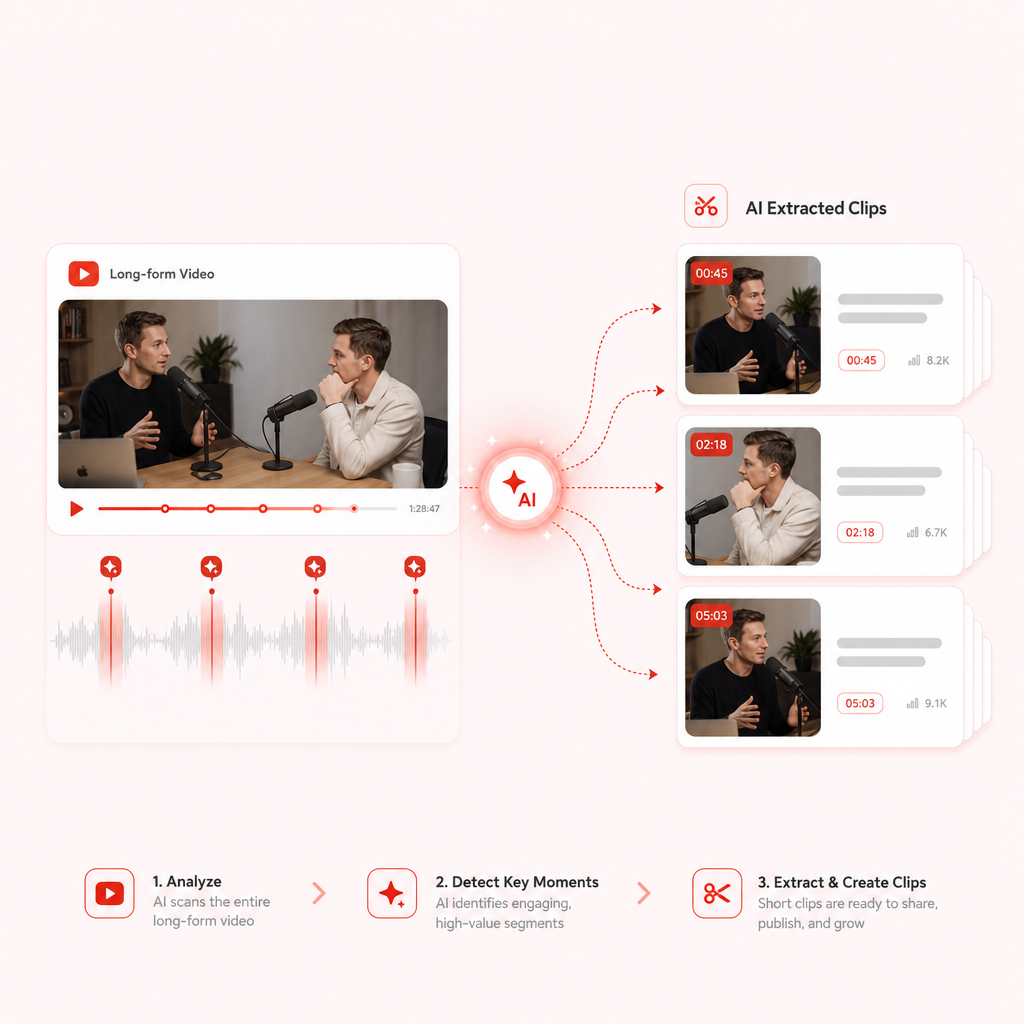
Meet Vizard Clips: Turn One Video Into Many Clips
What it does
Vizard Clips is built for teams that want speed + consistency.
- Converts long-form videos into multiple short, shareable clips
- Helps you extract key moments from content you already created
- Speeds up production for shorts and reels—without treating every repurpose like a brand-new project
What you can repurpose
- Webinars → highlights + key takeaways
- Interviews → quotes + reaction moments
- Product videos → feature walkthrough snippets
- Educational content → tutorials and “how-to” series
- Livestreams → best segments into a weekly clip pipeline
- YouTube videos → Shorts from your best long-form performers
The AI Content Stack: GapTube.ai + Vizard Clips
For your strategy to work, your team needs two things:
- Winning topics
- Faster distribution from each video
Use GapTube.ai to find content gaps and trending opportunities
GapTube.ai (YT Research Tool) helps creators and teams:
Use Vizard Clips to multiply output from every upload
Once you publish the long-form video, Vizard Clips extracts key moments and turns them into dozens of clips, ready for short-form platforms.
Result: fewer “one-and-done” videos, more consistent distribution from every production.
That’s where the pairing shines.
How It Works (Simple Workflow)
- Research topics with GapTube.ai — Find what’s trending and where your audience is missing answers.
- Create one strong long-form asset — Webinar, interview, product demo, educational session—your best effort.
- Repurpose using Vizard Clips — Extract key moments and turn your long-form content into multiple shorts.
- Publish across platforms — Share bite-sized highlights to YouTube Shorts, TikTok, Reels, and LinkedIn.
- Repeat the cycle — Your team builds a repeatable pipeline instead of rebuilding from scratch.
For Marketing Ops: Build a Scalable Repurposing System
B2B marketing operations teams don’t just need output—they need repeatability, governance, and measurable workflow.
What marketing ops cares about
- Cadence: consistent clip publishing without adding editor headcount
- Efficiency: fewer hours spent selecting moments and formatting shorts
- Standardization: consistent structure for series, leadership clips, product explainers
- Operational throughput: repurpose one asset into a multi-channel content batch
- Attribution readiness: align clips with campaign tracking (UTMs, landing pages, CTAs)
Recommended operating model (practical)
- Assign one owner for long-form publishing (webinar/interview/product session)
- Assign one workflow owner for clip batch creation
- Use a weekly or biweekly “long-form → clip batch” cadence
- Create clip categories (e.g., “Myth vs Fact,” “3 Takeaways,” “Feature in 30s”)
- Measure performance by clip series, not just by video uploads
This is how you move from “content chaos” to a dependable pipeline.
Use Cases: What to Clip (and What to Post)
1) Webinars → Key Takeaways Series
Turn Q&A moments and core frameworks into a weekly series of short clips for LinkedIn and YouTube.
Clip ideas:
- “The mistake most teams make in X”
- “A framework you can use tomorrow”
- “The moment the audience gets it”
2) Interviews → Quote Cards in Video Form
Pull the most compelling lines and explanations into shareable micro-lessons.
Clip ideas:
- Strong statements from the guest
- “How we solved X” story beats
- Practical steps the viewer can repeat
3) Product Videos → Feature Snippets
Repurpose product demos into multiple clips that highlight value fast.
Clip ideas:
- One feature = one short clip theme
- “Before/after” results explained in seconds
- Objection handling (“Is this hard to implement?”)
4) Educational Content → Mini-Teach Series
Use clips to build topical authority and increase discovery.
Clip ideas:
- Teach one concept per clip
- Create recurring “episodes” based on your pillar topics
5) Livestreams → Audience-Driven Highlights
Your livestream already captures real questions—turn those into short-form answers.
Case Studies
Below are case study-style scenarios of how B2B teams use long-to-short repurposing workflows. Use these as patterns for your own internal plan.
Case Study Snapshot #1: Demand Gen Team (B2B SaaS)
Challenge: One webinar per month, inconsistent short-form output
Approach: Publish 1 webinar long-form, then generate clips for LinkedIn + Shorts
Outcome pattern:
- Higher frequency of posts without expanding production time
- Better top-of-funnel visibility for both the brand and product leadership
- Clearer repurposing categories (takeaways, myths, objections)
Case Study Snapshot #2: Product Marketing Team (DevTools / AI Tools)
Challenge: Great product content, but it never fully reaches new audiences
Approach: Convert product demos into themed clip batches
Outcome pattern:
- More touchpoints from each demo video
- Improved content consistency across campaigns
- Short-form clips support long-form SEO and video discovery
Case Study Snapshot #3: Thought Leadership Team (Consulting / Services)
Challenge: Subject-matter experts record interviews, but only a small portion gets repurposed
Approach: Extract the strongest education moments and publish them as series clips
Outcome pattern:
- Leadership visibility grows through repeatable clip formats
- Clips perform as “micro assets” that keep circulating after the interview is published
- Easier content planning: fewer “blank page” starts
What to Look For in AI Video Tools (for B2B)
When teams evaluate AI marketing video generation and repurposing tools, the differentiators usually include:
- Speed to output (time saved per long-form asset)
- Repeatability (can you run the process weekly?)
- Multi-platform fit (Shorts/Reels/LinkedIn-ready distribution)
- Workflow alignment (supports how B2B teams already produce content: webinars, interviews, product demos)
Vizard Clips is designed specifically around that repurposing need: turn long-form into dozens of short, shareable clips faster.
Pair GapTube.ai for Better Topics
Want to make every long-form video easier to plan and more likely to perform?
Pair the research engine (GapTube.ai) with the distribution multiplier (Vizard Clips) for a full content system.
Frequently Asked Questions
? Is Vizard Clips only for YouTube?
No. It’s built for repurposing into short-form formats for YouTube Shorts, TikTok, Instagram Reels, and LinkedIn.
? What types of videos can we repurpose?
Common inputs include webinars, interviews, podcasts, livestreams, and existing YouTube videos.
? Do we need to manually select clips?
The goal is to reduce manual effort by turning one long-form video into multiple clips quickly—ideal for teams that publish consistently.
? Will this work for small marketing teams?
Yes—especially if you want high output without growing headcount. This is a common pain point for B2B teams.
? How does this help Marketing Ops specifically?
By enabling a repeatable “long-form → clip batch” workflow that supports cadence, standardization, and faster production throughput.
Ready to Multiply Your Content Output?
If your team is producing long-form content but struggling to repurpose it at scale, it’s time to automate the distribution layer.
BOOK MEETING to see how Vizard Clips can turn your next long-form video into a week (or more) of short-form content—faster.