
My Videos — Learn What Actually Works
Full-time YouTubers don’t lose time to “try and see.” You need a repeatable system that shows what’s actually driving views, clicks, retention, and growth—on your channel.
My Videos is a personal YouTube performance research tool from GapTube.ai - YT Research Tool that analyzes your own video history to reveal winning patterns in topics, titles, thumbnails, formats, and keywords—then turns those patterns into clearer decisions for what to post next.
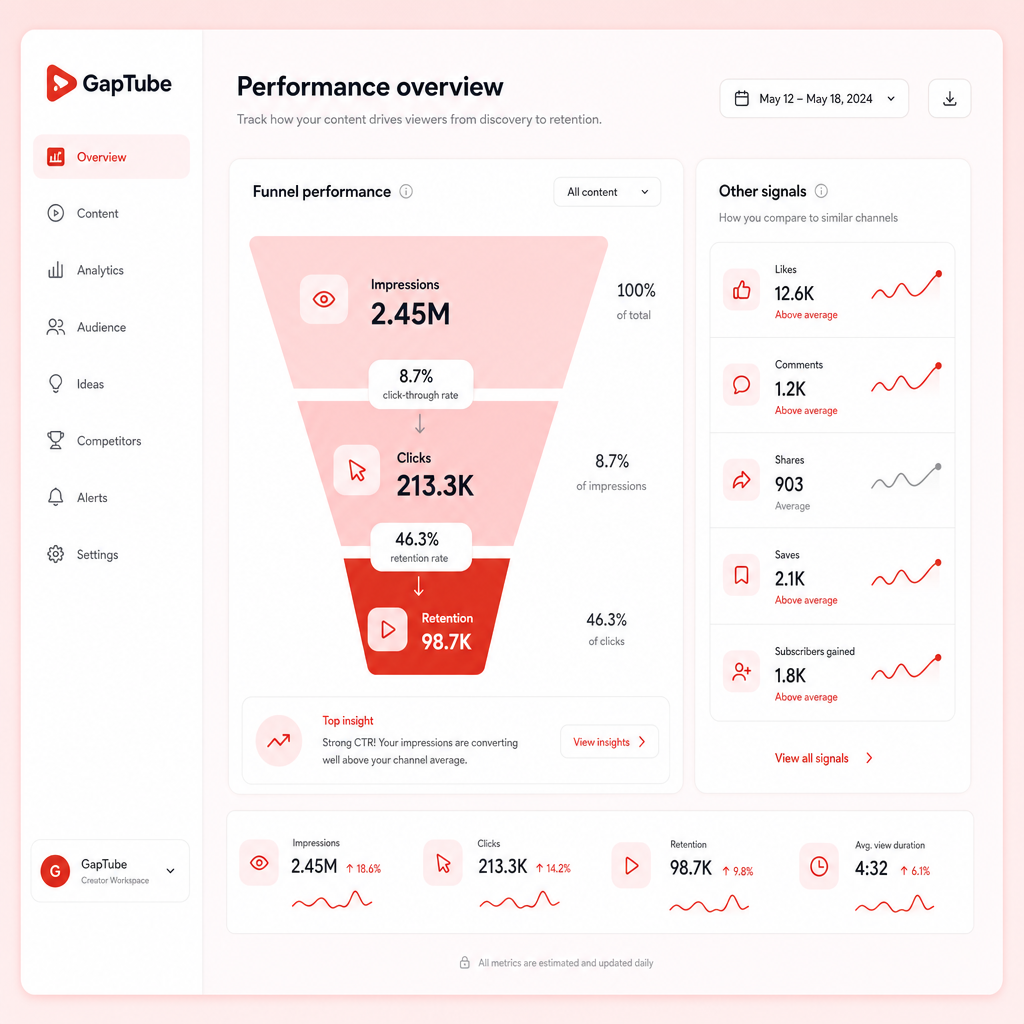
It reveals what’s driving the full performance funnel on your channel.
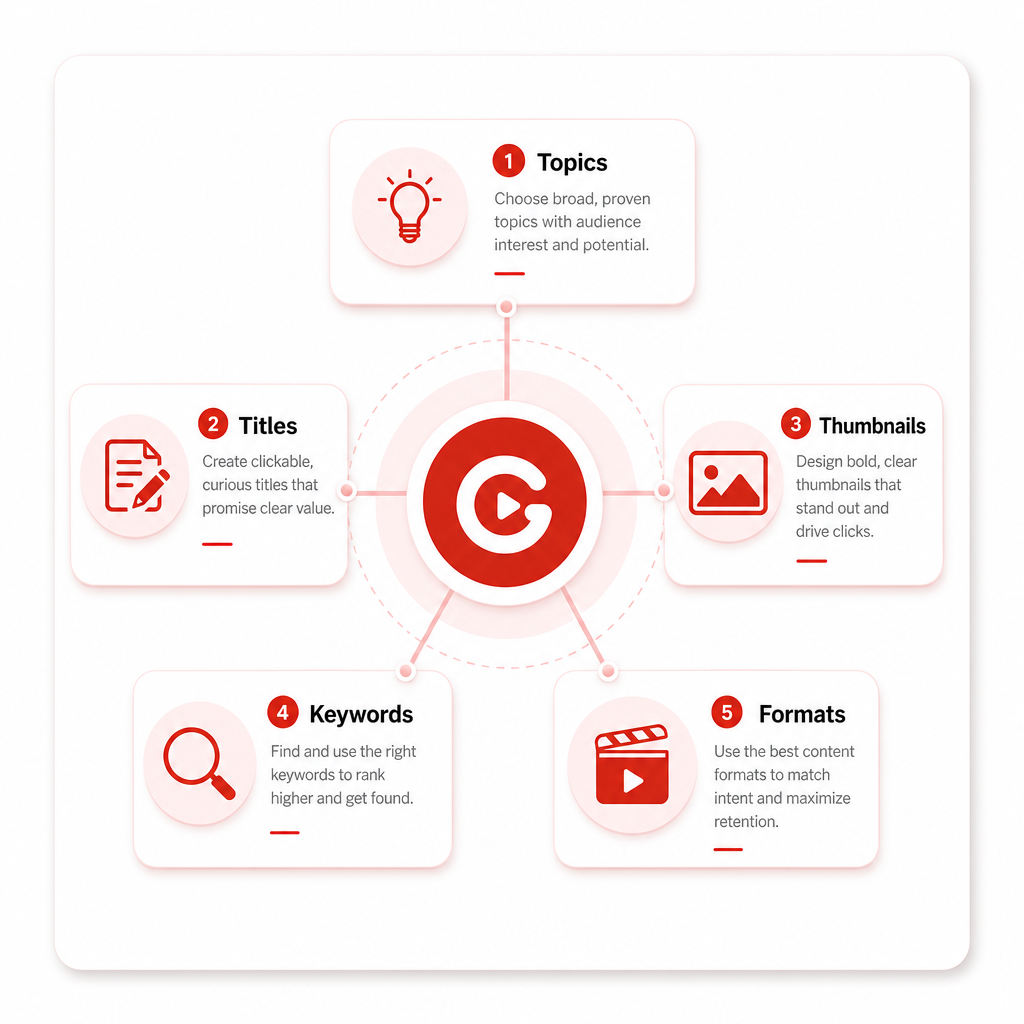
Topics, titles, thumbnails, formats, and keywords—organized from your history.
Turn insights into what to post next—so you can scale with confidence.
Why “How To Get More YouTube Views” Starts With Your Own Data
Most creators use generic advice: “Make better thumbnails,” “Post more,” “Use keywords.” But those tips are broad. Your channel’s real growth levers are specific.
When you analyze your own performance, you can answer questions like: which topics convert impressions into clicks, what content earns retention (especially in the first minute), and which formats consistently outperform your “average” video.
That’s how you stop guessing what to post next—and start repeating what already works. It also helps you generate ideas you can test and refine based on results.
- Which topics convert impressions into clicks
- What content earns retention—especially early
- Whether you’re winning in Search, Suggested, or Browse
- Which titles/thumbnail angles trigger rewatch or long watch time
The Performance Metrics That Actually Explain Your Views
If you want How To Get More YouTube Views, you need to understand which part of the funnel is failing (or winning).
Impressions (Are you getting shown?)
- Topic relevance
- Upload frequency and channel momentum
- Search demand
- Suggested video relationships
Clicks (Are you earning CTR?)
This is where titles + thumbnails matter most.
- Impressions
- CTR (Click-Through Rate)
- Average view duration
- Traffic source (Search vs Suggested vs Browse)
Retention (Are viewers staying?)
Retention tells YouTube whether your content deserves more distribution.
- View duration / Average view duration
- Audience retention graph (especially early dips)
- Replays (for Shorts and certain video types)
- Chapters performance (if applicable)
Growth impact (Does it compound?)
You’re not just chasing views—you want channel momentum.
- Subscriber change after publishing
- Consistent performance patterns across similar videos
- Repeatability (can you recreate the win?)
My Videos focuses on extracting those drivers from your historical results—not just surface-level engagement.
How to See YouTube Analytics (And Learn From Others—Without Copying)
There are two types of analysis full-time creators need:
1) Your channel analytics
Truth about what’s working for you. You can review video-level performance, audience retention, traffic sources, and top videos and trends over time.
2) Competitor & adjacent signals
Many creators also use third-party analytics sites to observe channel growth patterns, top-performing videos, and topic clusters.
The key conversion insight: Don’t copy competitors blindly. Use market signals to generate ideas—then use your data to decide what your channel can win with. My Videos does exactly that: it anchors strategy in your performance, then helps you align future content with real opportunity.
The Winning Pattern Framework: What to Analyze in Every Video
To stop guessing, you need a repeatable breakdown. Use this framework to classify each video in your catalog:
A) Topics (Demand + fit)
- Which topics repeatedly outperform your channel average?
- Which topics bring Search traffic?
- Which topics trigger both clicks and retention?
Output: A list of “high-demand, high-fit” topics.
B) Titles (Click intent)
- Which title formats earn higher CTR?
- Do titles that promise clarity outperform curiosity-only titles?
- What wording patterns match viewer intent?
Output: Title templates your audience responds to.
C) Thumbnails (Visual decision triggers)
- What visual style correlates with higher CTR?
- Are your thumbnails too busy (hurting mobile clicks)?
- Do you use consistent messaging (benefit-first, emotion, contrast)?
Output: Thumbnail rules you can reuse.
D) Keywords + E) Formats
- Keywords: which videos show signs of stronger search/related discovery and matching viewer intent?
- Formats: do your top videos share structure that sustains watch time (hooks, pacing, and length)?
Output: Keyword themes to support future uploads, plus format patterns that sustain watch time.
How to Turn Video Insights into a “Next 30 Days” Plan
Full-time creators need momentum. That means you shouldn’t analyze only—you should execute.
Pick 3 “Winning Lanes”
- 1 lane for Search-driven growth
- 1 lane for Suggested/Discovery growth
- 1 lane for Shorts or high-frequency momentum
Create 5 video ideas per lane
For each idea, map it to the topic pattern, the title angle pattern, the thumbnail messaging style, the structure that matches your retention winners, and the keyword intent the audience expects.
Batch test with intention
- Make 2 “close variations” of your best topic
- Make 2 “angle variations” on the same promise
- Make 1 “format variation” to see if retention improves
Measure what matters
- CTR improvements (titles/thumbnails)
- Early retention improvements (hook + pacing)
- Average view duration improvements
- Traffic source shifts (Search vs Suggested alignment)
My Videos helps you do this faster by identifying what your channel has already rewarded.
YouTube Shorts: Use Your Data to Find Short-Form Winners
Shorts can explode growth—but only when you match what your audience responds to in the Shorts context.
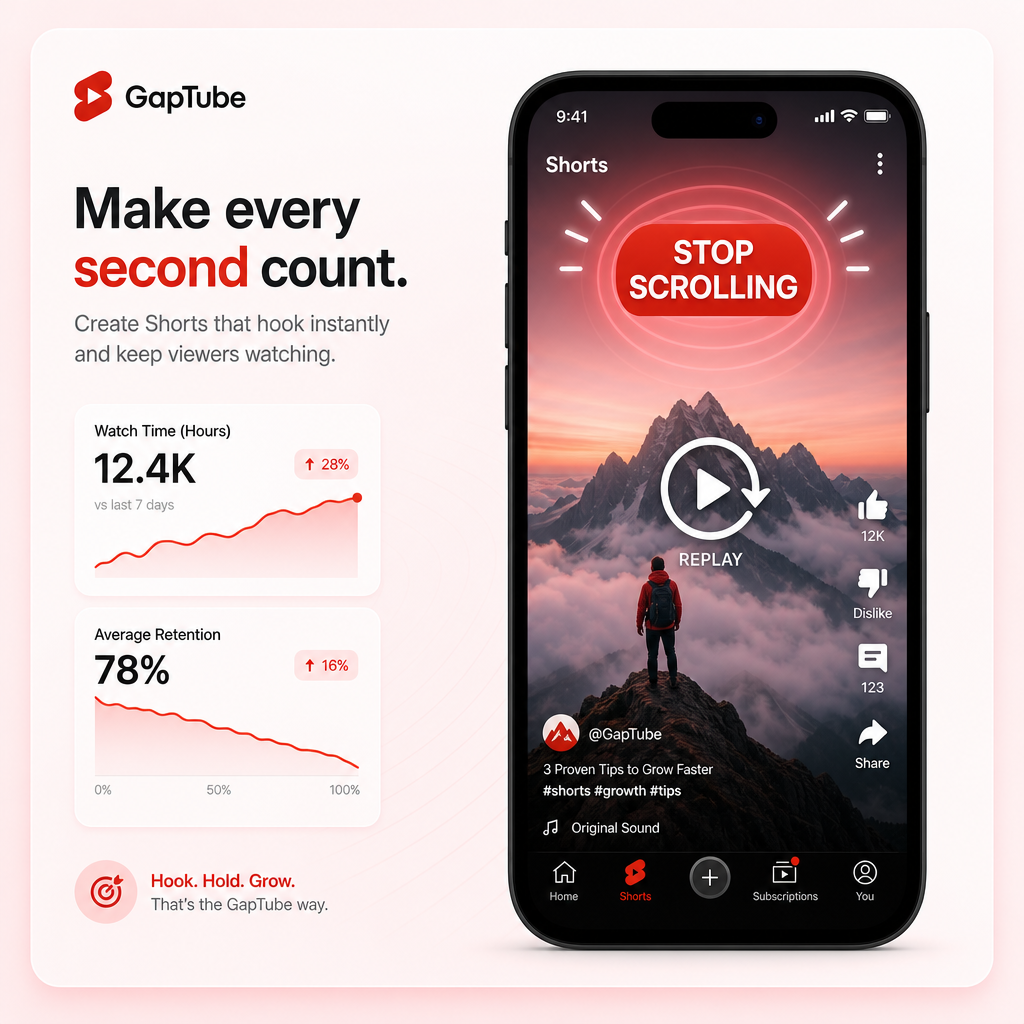
When analyzing Shorts, don’t rely on vanity metrics alone. Look at how quickly viewers drop (hook strength), watch time and replays (value density), and the types of topics that consistently “repeat” in performance.
What to analyze in your Shorts (simple checklist)
- Hook style: What gets viewers to stop scrolling?
- Value delivery: Are you delivering the payoff early?
- Topic fit: Which micro-topics reliably perform?
- Format consistency: Are your top Shorts all using similar pacing/structure?
My Videos connects Shorts performance patterns back to your channel strategy so you can create Shorts that reinforce long-form topics (and vice versa), avoid repeating “high effort, low retention” patterns, and scale what already works by topic + structure.
If you’re aiming for How To Get More YouTube Views, treat Shorts as a testing engine for hooks, topics, and packaging—then convert winners into scalable formats.
If you’re a full-time creator, you already know most tools are either too limited to change your output, or too expensive to stick with long-term. GapTube.ai - YT Research Tool is built for creators who want reliable insights without constant manual research.
- 1 topic forever
- Hundreds of keywords for that topic
Your access is designed to help you keep building without ongoing costs.
What GapTube.ai Does for “My Videos — Learn What Actually Works”
This landing-page positioning is what you should feel in your first session: a personal YouTube performance research tool that shows creators what is working on their own channel—and how to repeat it.
Analyzes your own YouTube videos
It finds the patterns driving views, clicks, retention, and growth.
Surfaces actionable content decisions
So you can stop guessing what to post next: what topics to choose, how to package them (titles/thumbnails), which formats to prioritize, and which keywords match viewer intent.
Finds trending opportunities & gaps
It helps you discover trending content opportunities and gaps using real-time trend scanning worldwide.
GapTube.ai is powered by gaptube.ai, which scans real-time trends worldwide, identifies content gaps in your niche, and offers actionable video ideas in over 70 languages—so your strategy can scale globally, not just locally.
Why Full-Time YouTubers Choose “My Videos”
Because it directly supports what you care about most:
- More views that aren’t luck
- Better clicks from proven packaging patterns
- Higher retention by rebuilding what your audience already rewards
- Faster planning so you publish with confidence
- Less wasted time and fewer “random uploads”
When you use your own data as the foundation, your content strategy becomes a feedback loop—not a guessing game.
My Videos helps you anchor your plan in performance patterns—so you can repeat what works, then iterate quickly.
If you want to see what’s already working broadly, explore discover before aligning your decisions with your own data.
Frequently Asked Questions
How does “My Videos” help me get more YouTube views?
It analyzes your video performance to identify which specific elements drive your results—then helps you repeat those patterns in future videos (topics, titles, thumbnails, keywords, and formats).
Will this work for YouTube Shorts as well as long-form?
Yes. My Videos helps you identify Shorts-specific performance patterns (hook, pacing, topic fit) and connects them back to your channel strategy so Shorts can support long-form growth.
What pricing model do you use?
Do I need to watch hours of analytics reports?
No. The goal is to turn analytics into decisions. My Videos is built to surface the “what actually works” patterns so you can act quickly.
Can you help me find content gaps in my niche?
Yes. GapTube.ai scans real-time trends worldwide, identifies content gaps in your niche, and provides actionable video ideas in over 70 languages.
Ready to Stop Guessing What to Post Next?
Use My Videos — Learn What Actually Works to find the patterns driving your clicks and retention, then turn past wins into better future videos. Don’t just analyze. Repeat what works.