
Channel Insights for Niche Testing on YouTube
If you’re a YouTuber experimenting with different content directions, you don’t need more “ideas.” You need proof.
This pillar page shows you how to use Channel Insights from your own channel—plus smarter signals from other channels—to decide which niche (or topic cluster) deserves more focus. No guessing. No vibes-only strategy.
And if you want to do this faster, GapTube.ai’s “My Videos” helps you analyze what’s actually driving clicks, views, and retention across your videos—so you can repeat what works and stop doubling down on what doesn’t.
Use Channel Insights from your own channel—plus smarter signals from other channels.
Analyze what’s driving clicks, views, and retention across your videos.
My Videos: Learn What Actually Works (When You’re Testing New Niches)
This pillar page shows you how to use Channel Insights from your own channel—plus smarter signals from other channels—to decide which niche (or topic cluster) deserves more focus. No guessing. No vibes-only strategy.
If you want to do this faster, GapTube.ai’s “My Videos” helps you analyze what’s actually driving clicks, views, and retention across your videos—so you can repeat what works and stop doubling down on what doesn’t.
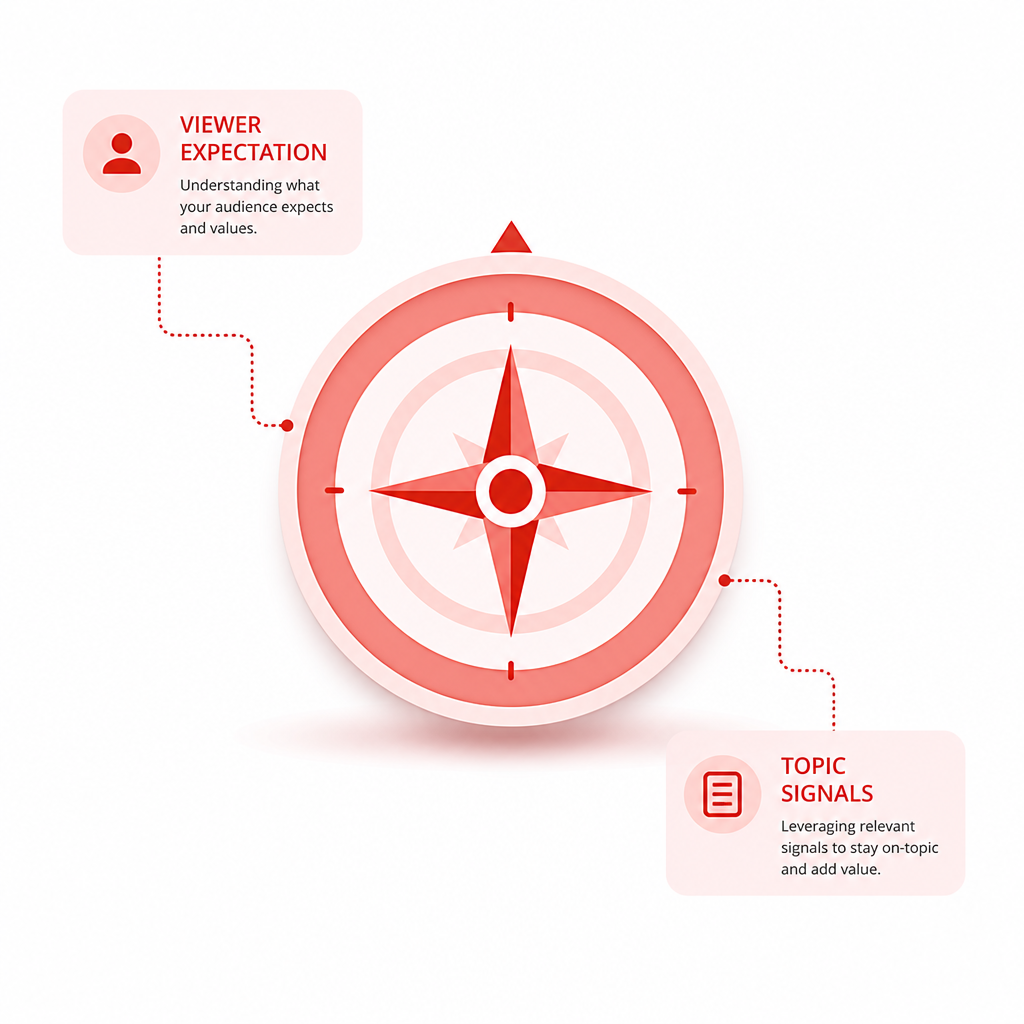
What is a Niche on YouTube?
A simple way to think about “What is a niche on YouTube?” is this:
Your niche is the repeatable viewer expectation you satisfy.
It’s the topic area (and angle) that makes a specific audience think: *“This channel consistently delivers what I’m looking for.”*
On YouTube, a niche usually includes:
- Topic (e.g., “budget travel in Europe”)
- Audience intent (e.g., “cheap itineraries,” “where to stay,” “must-see spots”)
- Content format + promise (e.g., “day-by-day guides,” “top lists,” “real-world experiments”)
- Search + discovery fit (what people type into search and what YouTube recommends)
Niche vs. content “phase”
Creators often confuse experimenting with niche-building. Experimenting is fine—but you still need to test like a strategist:
- Are certain topics attracting your ideal viewers?
- Are your videos earning impressions?
- Do those viewers stay (retention)?
- Do your titles/thumbnails convert when YouTube surfaces them?
That’s where the data comes in.
Channel Insights: The Analytics That Actually Matter for Niche Testing
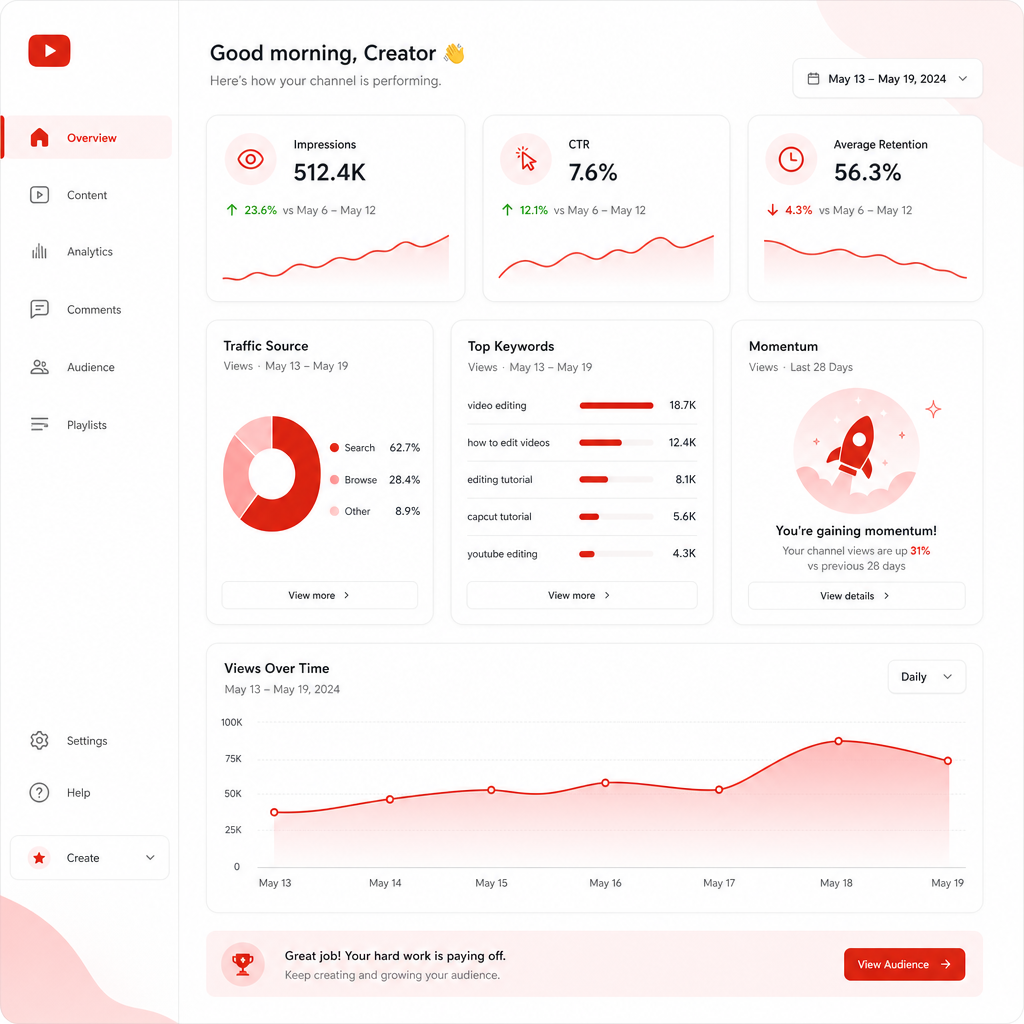
Not all metrics are equally useful—especially for smaller channels. The goal isn’t to admire numbers. The goal is to identify patterns you can reproduce.
Below are the channel insights that help you decide which niche topic cluster to invest in.
1) Impressions + CTR (Click potential)
If a video earns impressions but CTR is low, your niche may be “discoverable,” but your packaging (title + thumbnail) isn’t compelling enough yet.
Use this to answer:
- Did YouTube test the video with relevant viewers?
- When it was shown, did it earn clicks?
How to interpret for niche testing
- High impressions, low CTR: packaging mismatch (title/thumbnail issue)
- Low impressions, low CTR: YouTube may not find the video relevant to enough searches/audiences yet
- High impressions, high CTR: strong entry point—potential niche fit
2) Audience retention (Viewer satisfaction)
Retention tells you whether your content matches the viewer’s expectation. In niche testing, it’s one of your best “keep testing or pivot” signals.
Use this to answer:
- Did people stick around?
- Where did viewers drop off (and does it correlate with topic/format/structure)?
Niche decision lens
Better retention on certain topics suggests stronger audience fit—more than “viral luck.”
3) Click-through to browse/search (What YouTube thinks your niche is)
Even without fancy dashboards, you can look for:
- Search-driven traffic vs suggested traffic
- Returning viewers vs one-time viewers (if available)
- Traffic sources by video
This helps you determine whether your niche idea is:
- search-led (people actively looking for it)
- browse-led (YouTube recommends it based on viewing behavior)
4) Keywords + query alignment (Your niche’s “why”)
Niche testing becomes way easier once you can connect performance to:
- search terms
- keyword themes
- topic clusters you can repeatedly cover
If videos in one direction consistently pull from similar searches, that’s a clue you’re building a niche—or at least a coherent cluster.
5) Video-to-channel momentum (Growth signal)
Don’t evaluate only the one-off hit. Evaluate:
- did subscribers increase?
- did similar audience respond better across multiple uploads?
- did future videos in the same direction perform more consistently?
This is where your content direction becomes clearer over time.

YouTube SEO Workflow: Test Niches Like a System (Not a Gamble)
Here’s a practical YouTube SEO Workflow designed specifically for creators experimenting with different content directions.
Step 1: Turn “niche ideas” into testable topic clusters
Instead of “I’ll make videos about X,” define a cluster like:
- Subtopics you can cover repeatedly
- Viewer intent you serve
- Common questions people ask
Example cluster:
“MacBook productivity”
notes apps for school
best shortcuts
workflow comparisons
beginner setup guides
Step 2: Inventory your existing performance (your baseline)
Before you judge new directions, analyze what your channel already does well.
Look for patterns such as:
- Which videos earn the most impressions?
- Which topics get stronger CTR?
- Which formats hold retention longer?
- Which titles/thumbnails correlate with best performance?
This is exactly what My Videos — Learn What Actually Works is built for: using your own video data to uncover the patterns driving views, clicks, retention, and growth.
Step 3: Hypothesis each test video
Every test should have a “why,” like:
- “This title/thumbnail should match search intent for beginners.”
- “This format should improve retention in the first 30 seconds.”
- “This subtopic should earn stronger suggested impressions from related content.”
If you can’t write the hypothesis, you’re not actually testing—you’re just posting.
Step 4: Create 3–5 videos per direction (enough data to learn)
Single-video decisions are noisy.
A better approach:
- Upload 3–5 videos around the same topic cluster
- Keep format/packaging roughly consistent where possible
- Change only the variable you’re testing (title style, angle, structure, depth, etc.)
Step 5: Use a decision rule (what “winning” means)
Define what success looks like using your channel insights.
Common decision rule examples:
- If a direction earns consistently higher retention + improving CTR, double down.
- If CTR is strong but retention is weak, refine story structure—don’t abandon the niche.
- If retention is strong but impressions are weak, tighten keyword/theme alignment and improve packaging for relevance.
Step 6: Scale what repeats
Once you find signals, scale:
- more videos inside the same cluster
- variations of the strongest angle
- additional keywords around the same intent
Niche building is often less about “one viral idea” and more about repeating a proven pattern.
Learn From Other Channels (Without Copying Them)
Testing your niche gets easier when you also study how similar channels perform.
A strong takeaway from analytics-focused SERP resources is that you can learn a lot by comparing:
- what other channels rank for (search intent)
- what gets recommended (audience overlap)
- which formats and topics tend to earn views and retention
What to look for when analyzing other channels
- Topic cluster overlap: do top channels cover the same subtopics?
- Packaging style: what thumbnails/titles consistently earn clicks?
- Format patterns: how do they structure hooks, intros, and pacing?
- Consistency: do they repeat a niche theme or constantly pivot?
The point isn’t to copy. The point is to identify:
- what the YouTube ecosystem rewards for that audience
- what viewers expect when they click
Then you test your angle with your own audience signals.
Stop Guessing Your Next Topic: Turn Performance Into a Repeatable Content Plan
Here’s how creators typically get stuck:
- They post a new direction
- It underperforms
- They panic and switch again
Instead, use your results to build a repeatable plan:
- Identify your strongest videos
- Extract the patterns (title style, thumbnail format, topic intent, structure)
- Find the “gaps” between what you post and what your audience responds to
- Produce test variations that improve the weak points
Turn “winning patterns” into actionable decisions
Use these to guide your next uploads:
- Titles: which phrasing drove higher CTR?
- Thumbnails: what visual style matches your best-performing topics?
- Video structure: where did retention collapse, and can you restructure the intro/early pacing?
- Keywords: are you repeatedly aligning to one intent, or drifting?
This is the fastest way to turn past performance into better future videos—exactly the promise behind My Videos.
Common Niche Testing Mistakes (That Waste Months)
Avoid these traps:
- Changing everything at once (topic + format + packaging + length). You can’t learn what caused results.
- Making niche decisions from one video.
- Ignoring CTR (you can have great retention but still fail to get enough clicks).
- Treating retention drops like randomness instead of diagnosing where the viewer expectation breaks.
- Not using topic clusters (your channel becomes a random feed instead of a consistent promise).
Where GapTube.ai Fits: Make Your Niche Testing Faster
GapTube.ai (YT Research Tool) helps creators master YouTube strategy, discover trending content opportunities, and automate research.
With My Videos — Learn What Actually Works, you get a more direct advantage for niche testing:
- Analyze your own video performance to uncover what drives views, clicks, retention, and growth
- Spot which topics, titles, formats, thumbnails, and keywords are performing best
- Stop guessing and start repeating what your audience already responds to
And beyond your channel, gaptube.ai also scans real-time trends worldwide and helps identify content gaps in your niche—offering actionable video ideas in 70+ languages. That means:
- your tests can be guided by data
- your planning can be streamlined
- your niche research doesn’t rely on manual searching
Want to accelerate your next niche test cycle?
Frequently Asked Questions
What is a niche on YouTube, and do I need one right away?
A niche is your repeatable viewer promise—topic + intent + format. You don’t need perfection on day one, but you do need direction. Niche testing helps you find which topic clusters naturally match your audience signals.
How do I know my niche test is working?
Look for repeatable patterns across 3–5 videos: stronger retention, improving CTR, and consistent traffic alignment (search/browse). Don’t rely on a single upload.
Which metrics should I prioritize when my channel is small?
Focus on CTR and retention first, then impressions and traffic/source patterns. Small channels often need packaging and relevance improvements more than they need “more posting.”
How does “My Videos” help niche testing specifically?
It analyzes your own videos to reveal what’s actually driving performance—so you can double down on winning topics and angles, and refine weaker areas with evidence.
Stop Guessing—Use Your Own Video Data
If you’re testing new niches, don’t let your next upload be a roll of the dice.
Use GapTube.ai’s “My Videos — Learn What Actually Works” to uncover the patterns behind your best-performing videos and turn them into smarter content decisions.
Ready to test your niche with real data?