
AI Video Repurposing Templates for Experts
If you’re a subject-matter expert, you already have the depth. The bottleneck is format: long-form content takes time to produce—and even more time to repurpose into Shorts, Reels, TikTok, and LinkedIn posts.
Vizard Clips solves that by turning your long-form video (podcasts, interviews, webinars, livestreams, YouTube videos) into multiple short, shareable clips—so you can multiply your content output without multiplying your workload.
Explore templates you can use immediately to structure clips
An AI script generator workflow for clip-ready copy
Emerging patterns in AI video creation that perform on modern short-form platforms
Turn One Expert Talk Into Dozens of Short Clips (With Templates + AI)
Simple positioning: “Turn one long video into dozens of ready-to-post clips.”
Why Experts Get Stuck (And How AI Fixes It)
Deep professionals often produce “one great video” and then feel stuck doing everything manually:
- picking moments worth clipping
- rewriting intros/outros for each short
- formatting different platform styles
- writing captions and hooks that don’t sound generic
AI-native workflows change the game
AI-native workflows change the game because they let you reuse your expertise—not rewrite it from scratch.
This pillar page covers:
- Explore templates you can use immediately to structure clips
- an AI script generator workflow for clip-ready copy
- emerging patterns in AI video creation that perform on modern short-form platforms
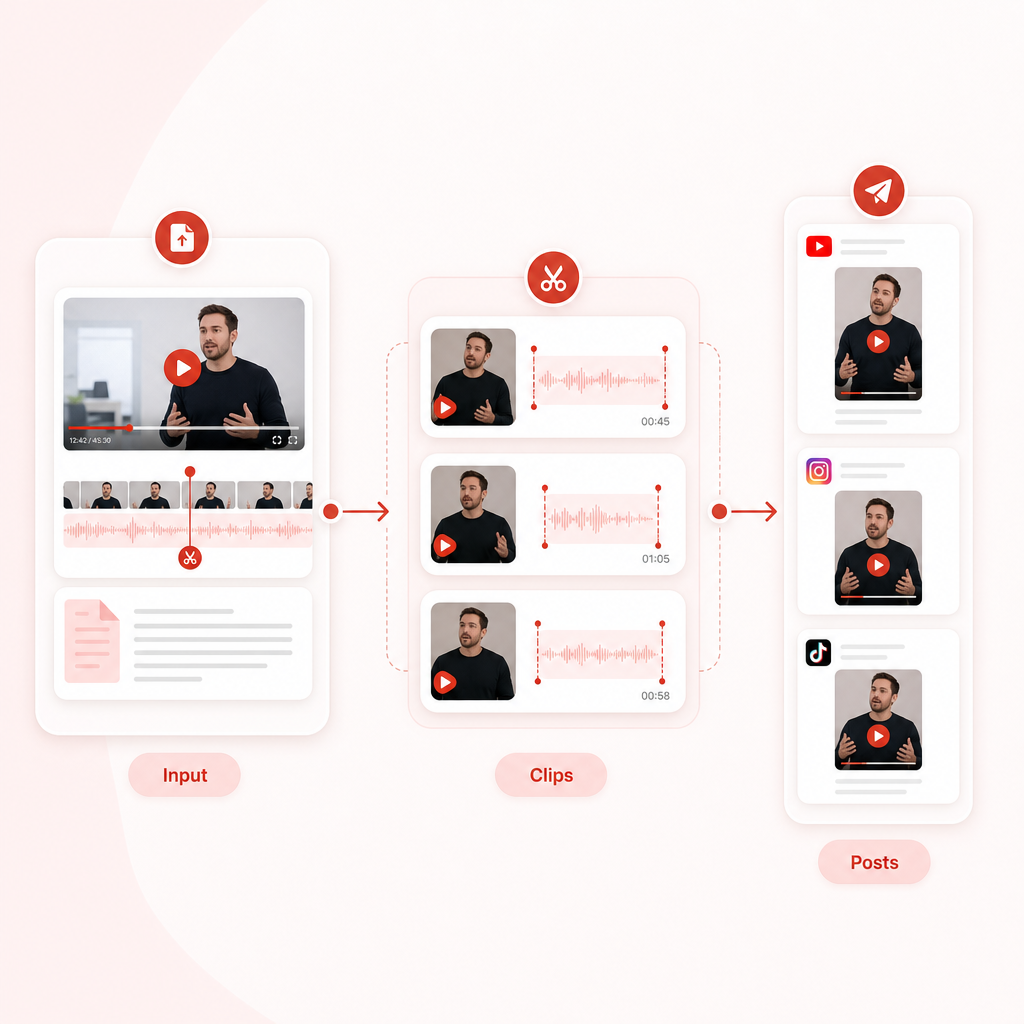
The Clip-First Repurposing Framework (Input → Clips → Posts)
Use this simple system to scale repurposing while staying credible:
Start with the best “source video”
- Choose the long-form upload that already has:
- clear sections (teachable topic, debate, case study)
- strong moments (claims, steps, examples, story turns)
- repeatable value (frameworks, checklists, “how-to” segments)
Select clip candidates (the “moment” matters)
When extracting clips, look for moments that include one or more of:
- a provable claim
- a step-by-step instruction
- a before/after transformation
- a counterintuitive insight
- a real example (data, story, case)
- an honest answer to a common question
Generate clip copy using a script workflow
For each clip, your goal is simple:
- a hook that earns attention in seconds
- 2–4 beats that deliver one idea
- a clean CTA that matches the platform
Package for each platform
Emerging AI video patterns show that formatting wins attention:
- keep captions readable
- match pacing to short-form retention
- vary angles (myth-bust, teach, story, checklist)
- republish as a series so viewers return
Automate export with Vizard Clips
Once you’ve chosen the “what,” Vizard Clips handles the “how”:
- converts your long video into multiple short clips
- helps you move faster from recording to posting
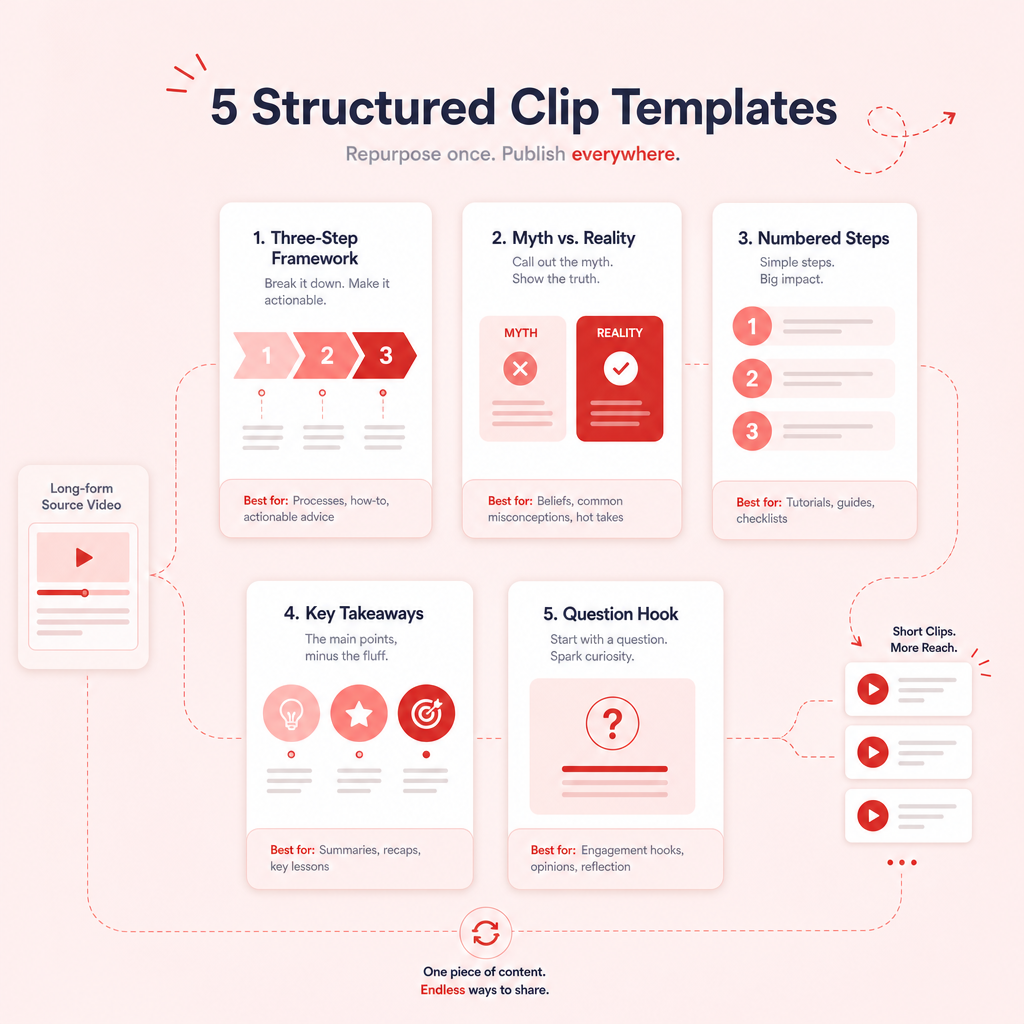
Explore Templates: Clip Structures Subject-Matter Experts Can Reuse
Below are ready-to-use clip templates that turn deep explanations into short-form clarity.
Use them exactly—or treat them as starting points.
Template 1: “Claim → Proof → Takeaway” (Authority Builder)
Best for: research insights, expert opinions, frameworks
Clip structure:
- Hook (Claim): “Most people misunderstand X.”
- Proof: “Here’s the evidence / the logic.”
- Takeaway: “So what should you do instead?”
Example hook:
“Stop using dashboards like they’re the goal—here’s what to measure instead.”
Template 2: “3 Steps to Do X” (Instructional Wins)
Best for: how-to segments, process explanations
Clip structure:
- Hook: “If you want results in X, do this.”
- Step 1 (plain language)
- Step 2 (mini example)
- Step 3 (common mistake to avoid)
- CTA: “Want the full breakdown? Watch the long video.”
Tip: Keep each step under ~1 sentence of setup + quick demonstration.
Template 3: “Myth → Reality → Fix” (Shareable + Fast)
Best for: thought leadership, debunking misconceptions
Clip structure:
- Myth: “A lot of people think Y…”
- Reality: “But the truth is…”
- Fix: “Here’s the adjustment that works.”
Shareability angle: Myth content travels well because viewers like “aha” moments.
Template 4: “Case Study in 20 Seconds” (Credibility + Emotion)
Best for: customer stories, project outcomes, lessons learned
Clip structure:
- Setup: “We faced X.”
- Decision: “We chose Y.”
- Result: “That led to Z.”
- Lesson: “Here’s the takeaway you can use.”
Template 5: “One Question That Changes Everything”
Best for: interviews, Q&A, controversial topics
Clip structure:
- Hook: “Here’s the question experts ask first…”
- Answer in 2 beats
- Tie back to audience impact
- CTA: “Comment your situation and I’ll suggest next steps.”
AI Script Generator Workflow (For Clip-Ready Copy)
Even if your video is strong, shorts need high-clarity scripting. Here’s a workflow you (or your team) can run like an AI script generator, producing repeatable clip copy.
The input you provide (from your long video)
- the clip moment (timestamp or segment)
- the topic (1 line)
- your audience (who it’s for)
- your desired tone (academic, practical, bold, friendly)
The output you want (per clip)
- Generate: Hook (0–1.5s)
- Beat sheet (2–4 bullets)
- Caption (1–2 lines)
- CTA (one specific action)
- optional hashtags (3–6)
Copy-and-paste prompt (template)
Use this prompt format for an AI script generator:
Beat sheet example (for experts)
- Beat 1: Define the misconception (one sentence)
- Beat 2: State the mechanism (how/why it works)
- Beat 3: Give a micro-example
- Beat 4: Provide an actionable takeaway
This workflow helps you keep authority while sounding native to short-form.
Emerging Patterns in AI Video Creation (What’s Working Now)
Based on what’s been trending across “best AI video generator” tooling and editing workflows, the winning patterns aren’t just “AI makes a video.” They’re:
Pattern 1: Chapter-based extraction beats random clipping
Tools and workflows are increasingly centered around segments of meaning—not just highlights.
Your move: Identify where a “chapter” starts (a claim, a step, a story turn) and clip from there.
Pattern 2: Native posting formats are becoming the default
AI workflows are improving around aspect ratios, pacing, and caption readability—because platform-native style matters.
Your move: Don’t force every clip into the same format. Treat Shorts/Reels/LinkedIn as different contexts.
Pattern 3: Subtitle-first delivery is the new baseline
Viewers often watch with audio off. Subtitles aren’t optional—they’re retention.
Your move: Ensure key lines are caption-friendly (short sentences, minimal jargon).
Pattern 4: Content packaging turns “clips” into “series”
Instead of posting one-offs, experts win by creating repeatable buckets:
- “Myth vs Reality Mondays”
- “3 Steps Thursday”
- “Case Study Fridays”
Your move: Use templates above to standardize how clips feel across weeks.
Pattern 5: Automation + iteration is the loop
The best systems create, publish, then learn:
- which hook style gets retention
- which topics earn saves/shares
- which CTAs drive long-form views
Your move: Reuse the same template with different topic angles.
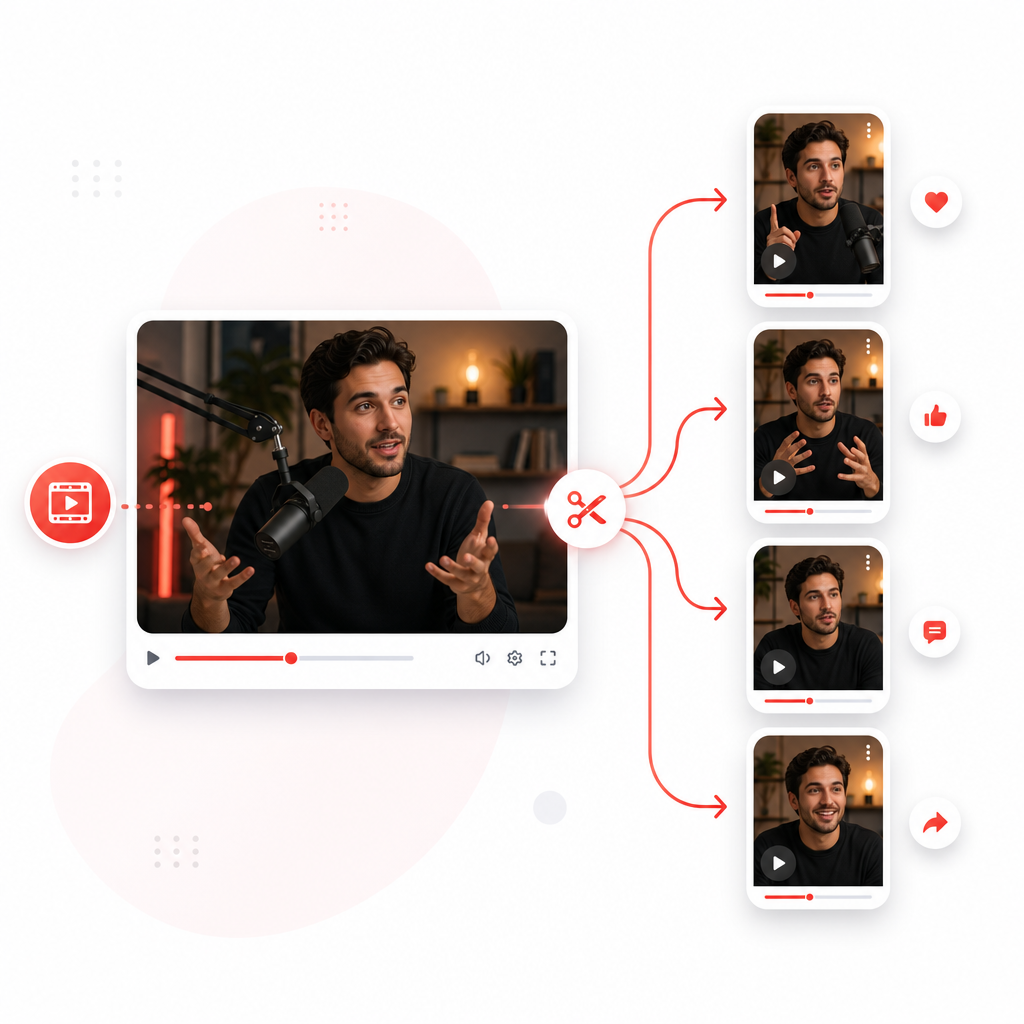
How Vizard Clips Multiplies Your Content Output
Here’s the practical “expert workflow” from long-form to short-form:
- Upload or link your long video (podcast, interview, webinar, YouTube video)
- Vizard Clips extracts key moments and converts them into multiple short clips
- Each clip becomes ready-to-post for platforms like YouTube Shorts, TikTok, Instagram Reels, and LinkedIn
- You post faster, so you can stay consistent without burning time
Result: You get the distribution advantage of short-form while keeping the authority foundation of long-form depth.
Pair It With GapTube.ai for Full-Funnel Growth (Discovery → Clips)
Video repurposing multiplies output—but growth still requires the right topics.
That’s where GapTube.ai - YT Research Tool fits.
Use GapTube.ai to discover what to say
GapTube.ai helps creators:
- scan real-time trends worldwide
- identify content gaps in your niche
- generate actionable video ideas in 70+ languages
- get daily insights and inspiration for what to create next
Use Vizard Clips to multiply what you already created
Once you produce the long-form episode based on GapTube’s insights:
- Vizard Clips turns it into dozens of short clips
- you publish consistently across platforms
- you drive more discovery back to your long-form library
Best Practices for Subject-Matter Experts (Stay Credible on Shorts)
Short-form doesn’t mean watered down. It means clearer.
- Remove setup jargon. Lead with the claim or the question.
- Use micro-examples. One crisp example beats a long explanation.
- Keep one idea per clip. If you cover two topics, split into two clips.
- Use citations carefully. If you reference stats or studies, keep the “source” in the caption.
- Aim for clarity over completeness. Your long video handles depth; your clips handle capture.
Frequently Asked Questions
Can I repurpose podcasts, interviews, and webinars into Shorts? +
Yes. Vizard Clips is designed for long-form formats like podcasts, interviews, webinars, livestream recordings, and YouTube videos—so you can turn one conversation into many clips.
How do I pick what moments to clip? +
Prioritize moments with: a clear claim, steps, proof, counterintuitive insights, or a mini case study. If the viewer would pause and think “that’s important,” it’s clip-worthy.
Do I need to rewrite scripts for each short? +
Not from scratch. Use an AI script generator workflow to produce hooks, beat sheets, captions, and CTAs that match the clip moment—while keeping your expertise consistent.
How do I avoid sounding repetitive across dozens of clips? +
Use the templates to vary angles: myth vs reality, 3 steps, case study, claim-proof-takeaway. Then package them as a series.
Get Started: Multiply Every Long-Form Video
Turn one expert explanation into a week (or more) of ready-to-post clips. With Vizard Clips, you can repurpose faster, publish more consistently, and reach more people without re-recording everything.
Want the best topics too? Pair it with GapTube.ai to discover content gaps and trending opportunities—then multiply the results with Vizard Clips.
Turn one long video into dozens of ready-to-post clips.