
Creative Trend-Driven YouTube Video Ideas & Auto Subs
If you’re a trend-focused creator, you don’t just need “more video ideas”—you need the right ideas at the right time. GapTube.ai is your daily YouTube idea engine that helps you discover creative YouTube video ideas before demand peaks, find content gaps competitors are missing, and plan faster with production-friendly workflows (including an Auto Subtitle Generator approach).
Discover creative YouTube Video Ideas before demand peaks.
Find content gaps competitors are missing.
Plan faster with an Auto Subtitle Generator approach.
Ideas — Never Run Out of Content (Trend-First)
GapTube.ai is your daily YouTube idea engine that helps you:
- discover Creative YouTube Video Ideas before demand peaks
- find content gaps competitors are missing
- turn real-time trend data into ready-to-create topics
- plan faster with production-friendly workflows (including an Auto Subtitle Generator approach)
Most creators struggle because they either:
- run out of ideas
- keep making videos on topics that are already oversaturated
This pillar page gives you both: a plug-and-play idea system and a list of trend-ready video formats—including faceless-friendly options.

Why Trend-Driven Creators Publish Faster (and Win)
When you publish while interest is rising, you get a better chance at:
- higher click-through rate (people are actively searching)
- stronger early engagement (recommendation systems notice momentum)
- faster keyword rankings
Meanwhile, traditional “idea hunting” is slow:
- you wait for inspiration
- you guess what people want
- you learn trends after everyone else has posted
Trend-driven and experimental channels win because they treat content like an iteration loop: watch → validate → create → publish → refine.
What GapTube.ai Does (in Plain English)
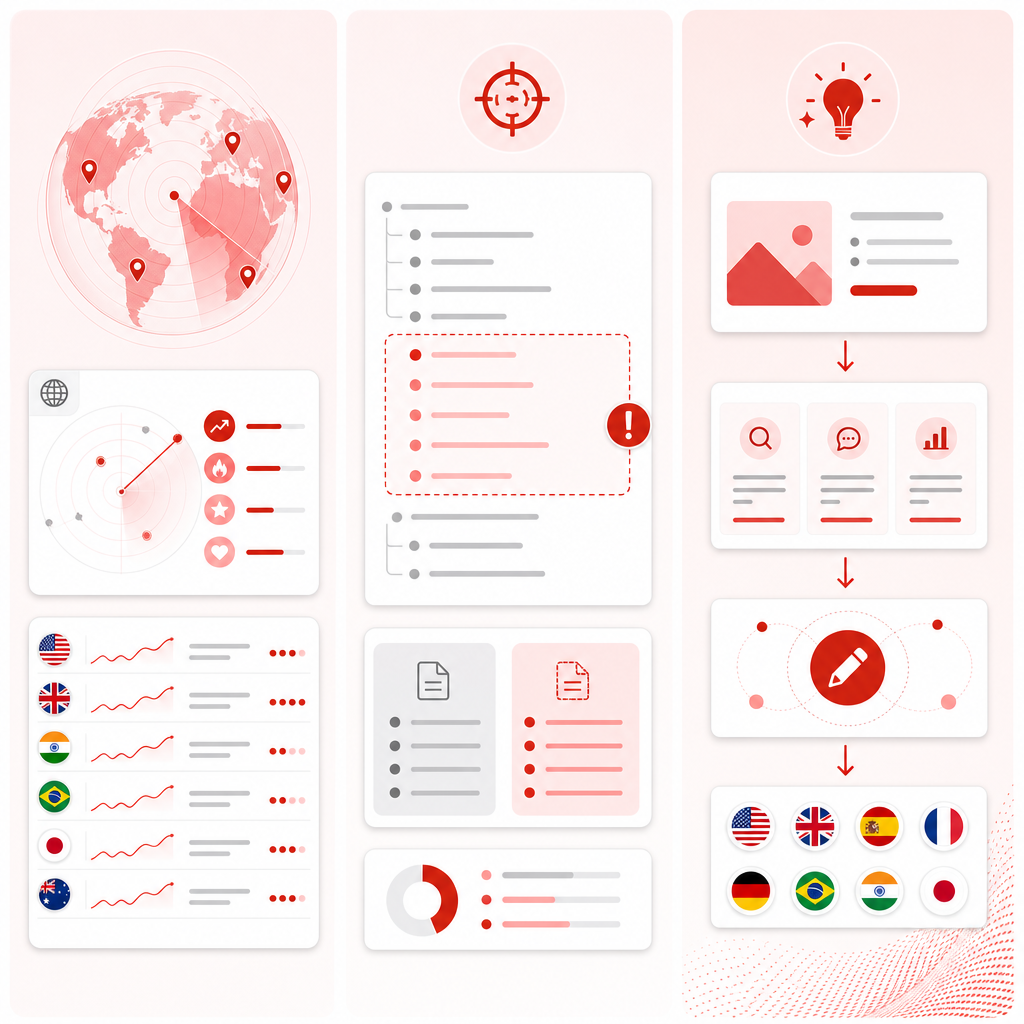
GapTube.ai scans real-time trends worldwide and helps creators:
- identify what audiences are searching for
- detect content gaps in your niche
- find low-competition opportunities with growth potential
- generate actionable video ideas in 70+ languages
So instead of asking “What should I post?” you get answers like:
- “Post this angle now because demand is rising.”
- “Your competitors haven’t covered this subtopic yet.”
- “Make this experiment format—people already want it.”
The Trend-Ready Video Idea Categories You’ll Reuse Forever
Below are formats you can plug into any niche. Use them as templates—then let GapTube.ai point you to the specific trend angles to target.
1) Trend Reaction (But Make It Useful)
Goal: Give a fast take plus a tangible takeaway.
Idea angles:
- “I tried the new [trend] for 7 days—here’s what surprised me”
- “What nobody explains about [trend] (and how to do it right)”
- “Reacting to the biggest mistake in [trend]—fixing it live”
Best for: tech, beauty, marketing, creator tools, fitness, learning niches.
2) “Content Gap” Explainers (Your Competitive Edge)
Goal: Cover the thing people search for, but your competitors skip.
Idea angles:
- “I searched YouTube for [topic]—here’s what’s missing”
- “The beginner version of [topic] nobody covers”
- “Stop doing [common approach]—use this gap-tested method”
This is where GapTube.ai shines: it helps you find what’s under-covered.
3) Experiments & Challenges (Trend + Curiosity = Clicks)
Goal: Turn a question into a repeatable experiment.
Idea angles:
- “I used [tool/method] for 30 days—results, metrics, screenshots”
- “Can you really [claim] without [resource]? I tested it”
- “Worst-to-best: rebuild my [process] using only [constraints]”
Best for: growth, editing workflows, productivity, learning, AI tools, creator economy.
4) “Steal This Framework” Tutorials
Goal: Teach a structure people can copy immediately.
Idea angles:
- “My exact framework for (template included)”
- “How to plan [niche content] in under 30 minutes”
- “The checklist I use before publishing [niche topic]”
Add a downloadable template or a repeatable outline to increase value perception.
5) Case Studies (Show Work, Not Just Opinions)
Goal: Make it tangible with numbers, before/after, and decisions.
Idea angles:
- “How a small channel grew using [strategy] (what worked + what didn’t)”
- “I reviewed 25 videos in [niche]—here’s the pattern”
- “A breakdown of why [competitor] wins: titles, hooks, pacing”
Case studies pair extremely well with trend-driven topics.
6) Tools, Automation & “Creator Tech” Videos
Goal: Attract creators who want faster output.
Idea angles:
- “I replaced my research workflow with this trend scanner”
- “How I find low-competition video ideas in minutes”
- “Repurposing content with subtitles: faster editing workflow”
This is a natural fit for your audience—trend-focused creators who publish frequently.
7) Faceless YouTube Ideas (No Camera Needed)
Goal: Keep quality high with voiceover + b-roll + screen recordings.
Idea angles (faceless-friendly):
- “Top trending searches in [niche]—and the best angle to win”
- “Content gap review: what competitors missed in [topic]”
- “AI-assisted narration: turning trend research into a video script”
- “Screen-record tutorial: build [project] using the latest trend keywords”
- “Storytelling recap: ‘How [trend] started and where it’s going next’”
Faceless channels succeed when you match strong hooks + clear structure + searchable topics.
A Plug-and-Play List of Creative YouTube Video Ideas (Use Today)
Pick one category above, then search for the trend angle to target. Here are ready-to-use idea seeds:
- “I tracked [niche] trends for 14 days—here’s what spiked.”
- “The easiest way to find low-competition keywords for [topic].”
- “Reacting to the biggest misconception in [trend] and fixing it.”
- “What happens when you publish a video on a rising trend (timing test).”
- “I made 3 thumbnails for the same topic—here’s which won.”
- “I reviewed [X] competitor videos—here’s what they all got wrong.”
- “My best hook formula for [niche] (with examples).”
- “I turned one trend into a 5-part series—did it work?”
- “The ‘content gap’ method I use before writing a script.”
- “Beginner guide to [topic]—but optimized for search.”
- “Stop making these 5 mistakes when covering [topic].”
- “The fastest workflow to plan, script, and publish [niche].”
- “I tested [tool/method] so you don’t have to.”
- “What the top creators in [niche] avoid (and why it works).”
- “How to make faceless videos that don’t feel generic.”
- “Screen-record workflow: from trend → idea → title → script.”
- “Turning trending searches into ready-to-create topics.”
- “I asked the internet what it wants—then built the video.”
- “The 1 metric that predicts whether your video will catch on.”
- “Case study: a video that failed—what changed the next one.”
- “I built a content calendar from real-time trend data.”
- “The ‘experimental channel’ rules: publish faster, learn faster.”
- “How to choose video topics when you have limited time.”
- “Best ways to repurpose one research sprint into 10 videos.”
- “My niche forecast: what’s coming next for [topic].”
Want these tailored to your channel? That’s what GapTube.ai does: it finds the specific rising opportunities in your niche—then outputs ideas you can act on.

How to Turn Trends Into Ready-to-Create Topics (Fast Workflow)
Use this repeatable process every time you plan a video.
Step 1: Discover (Don’t Guess)
Look for signals that interest is rising:
- trending searches
- recurring topics across multiple channels
- growing keyword demand
- new angles people are trying (or missing)
GapTube.ai automates this step by scanning trends worldwide and surfacing opportunities relevant to your niche.
Step 2: Validate the Content Gap
Before you write a script, ask:
- Is the topic covered, but the sub-angle isn’t?
- Are competitors making broad videos instead of solving a specific problem?
- Are titles too generic (low click potential)?
- Is there an underserved beginner version?
If the gap exists, your video becomes the “missing answer.”
Step 3: Write the Hook Like a Creator, Not a Blogger
A strong hook usually has one of these:
- a surprising result (“I tried X and it failed… then worked.”)
- a clear promise (“In 10 minutes, you’ll know Y.”)
- a myth-bust (“Stop doing X—here’s what to do instead.”)
- a direct problem (“If your videos aren’t ranking, you’re missing this.”)
Step 4: Produce Faster With an Auto Subtitle Generator Approach
Publishing faster doesn’t only mean research speed—it’s also editing speed.
Here’s a conversion-friendly workflow:
- generate subtitles automatically (via your editing workflow / Auto Subtitle Generator)
- keep the best lines as on-screen captions
- reuse subtitle segments to create Shorts
- find weak pacing (subtitles reveal gaps and filler)
Outcome: you turn one video into multiple assets with less manual effort.
Step 5: Iterate Using Early Signals
After publishing, watch:
- click-through rate (title + thumbnail match)
- average view duration (hook + pacing)
- comments/questions (future video angles)
Then repeat the loop with the next trend gap.
“Trend-Driven and Experimental Channels” Checklist
- Publish consistently while interest is rising (not months later)
- Test angles, not just topics (same niche, different hook/problem)
- Turn one trend into a series (people binge what’s coherent)
- Make faceless versions when you want speed (screen + b-roll + narration)
- Use subtitles to accelerate editing and repurposing
Title & Thumbnail Formulas That Convert
Title formulas
- “I Tried [Trend] for 7 Days… Here’s What Happened”
- “[Number] Mistakes in [Topic] (and What to Do Instead)”
- “What Nobody Tells You About [Trend]”
- “The Content Gap in [Topic] (Solved in This Video)”
- “Faceless Workflow: From Trend → Script → Video”
Thumbnail rules
- One clear subject + one bold outcome word
- Avoid tiny text; use 2–4 words max
- Keep visuals aligned with your hook (no bait-and-switch)
What You’ll Get With GapTube.ai (Your Daily Idea Engine)
When you use GapTube.ai, you’re not just collecting random inspiration—you’re getting a structured advantage:
Real-time trend scanning worldwide
Content gap identification in your niche
Actionable YouTube video ideas you can write from immediately
Ideas generated in 70+ languages
Built for trend-focused creators who want to publish while interest is rising
Don’t miss out—start building your next batch of videos from real trend data.
Frequently Asked Questions
Is GapTube.ai only for big channels?
No. GapTube.ai is built for creators at every stage—especially those who want to publish quickly and stay ahead of trends.
What if my niche is small or specific?
Smaller niches often have clearer content gaps. GapTube.ai helps you find opportunities where you can win with the right angle.
Can I use these ideas for Shorts and faceless videos too?
Yes. Many idea formats above translate directly to Shorts. Faceless-friendly formats (screen recording, b-roll, voiceover) are also a strong fit.
How does an Auto Subtitle Generator help?
Subtitles speed up editing, improve accessibility, and make repurposing easier (captions and Shorts clips are generated from your transcript).
What does “content gap” mean?
It’s when audiences want an answer, but the existing videos don’t cover the specific sub-angle, beginner version, or problem-solution approach you plan to deliver.
Next Step: Never Run Out of Content Again
If you want to publish with momentum, stop relying on “what feels interesting” and start using a trend-based idea engine. GapTube.ai helps you find trending, low-competition YouTube topics before everyone else—so your channel keeps moving while audience interest is rising.